


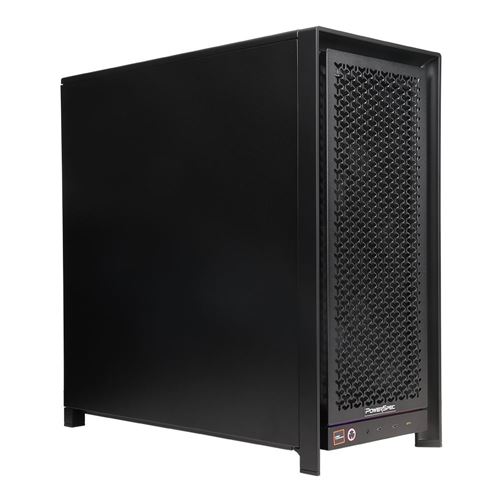
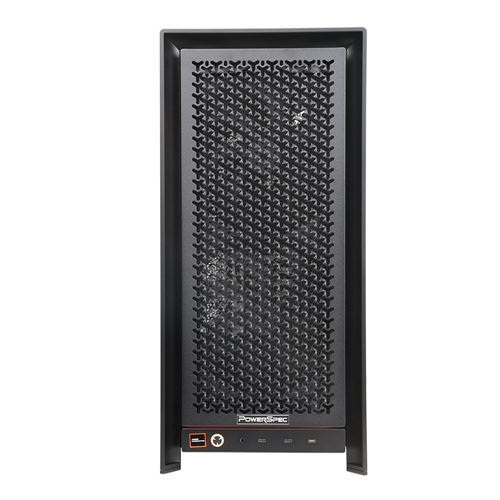
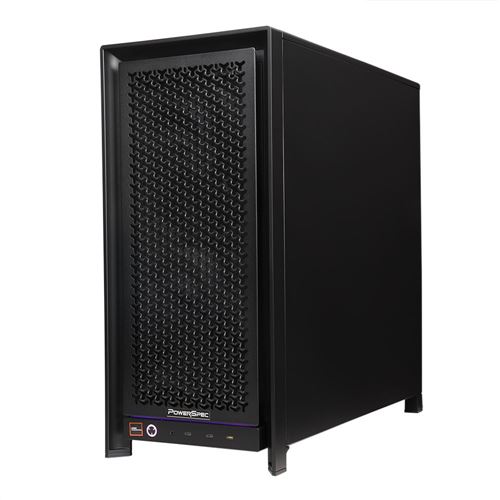
PowerSpec AI110 Workstation AMD Ryzen Threadripper 9960X 4.2GHz Processor; NVIDIA GeForce RTX 5090 Founders Edition 32GB GDDR7; 128GB DDR5-5600 RAM; 2TB Solid State Drive



Sorry, you may compare a maximum of 4 items at a time.
Please clear one or more of your compare items before adding anotherAI110 Workstation AMD Ryzen Threadripper 9960X 4.2GHz Processor; NVIDIA GeForce RTX 5090 Founders Edition 32GB GDDR7; 128GB DDR5-5600 RAM; 2TB Solid State Drive
- AMD Ryzen Threadripper 9960X 4.2GHz Processor
- NVIDIA GeForce RTX 5090 Founders Edition 32GB GDDR7
- 128GB DDR5-5600 RAM
- 2TB Solid State Drive
- Microsoft Windows 11 Pro
- 10GbE+2.5GbE
- WiFi 6E (802.11ax)
- Bluetooth 5.2
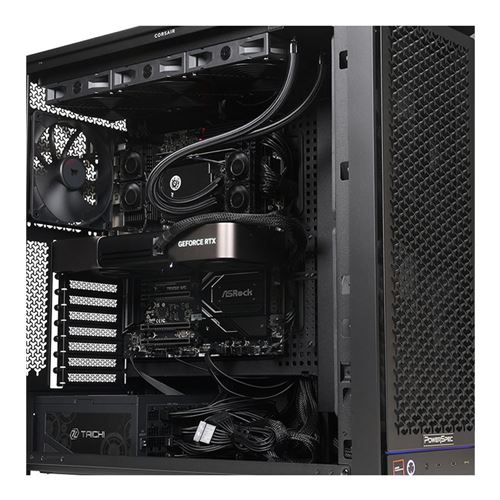
- 360mm AIO Cooler
The PowerSpec AI110 Workstation delivers exceptional performance for demanding AI, content creation, engineering, and professional computing workloads. Its AMD Ryzen Threadripper 9960X 4.2GHz processor provides powerful multi-core performance, while the NVIDIA GeForce RTX 5090 Founders Edition with 32GB of graphics memory accelerates generative AI, 3D rendering, video production, simulation, and other GPU-intensive applications. Built for professionals who need workstation-class processing and cutting-edge graphics in a ready-to-use system, the AI110 offers the horsepower to handle complex projects and advanced workflows with speed and efficiency.
Professional AI Development and High-Performance Computing
The PowerSpec AI110 is built for local AI development, machine learning, content creation, and other demanding computing tasks. Equipped with a 24-core AMD Ryzen Threadripper 9960X processor, NVIDIA GeForce RTX 5090 Founders Edition graphics with 32GB of GDDR7 memory, and 128GB of ECC DDR5 RAM, the AI110 combines powerful CPU and GPU performance with substantial system memory. A 2TB Gen5 NVMe SSD, Windows 11 Pro, and AMD TRX50 platform round out a system well suited for AI experimentation, rendering, software development, and advanced computing.
AMD Ryzen Threadripper 9960X for Demanding Applications
Built on AMD's Zen 5 architecture, the Ryzen Threadripper 9960X features 24 cores and 48 threads, with a 4.2GHz base clock, boost speeds up to 5.4GHz, and 128MB of L3 cache. Its high core count makes it well suited for CPU-based rendering, software compilation, data processing, simulations, and other tasks that benefit from parallel processing. Quad-channel DDR5 memory and PCIe 5.0 connectivity provide the bandwidth needed for data-intensive applications and high-speed expansion hardware.
NVIDIA GeForce RTX 5090 Founders Edition
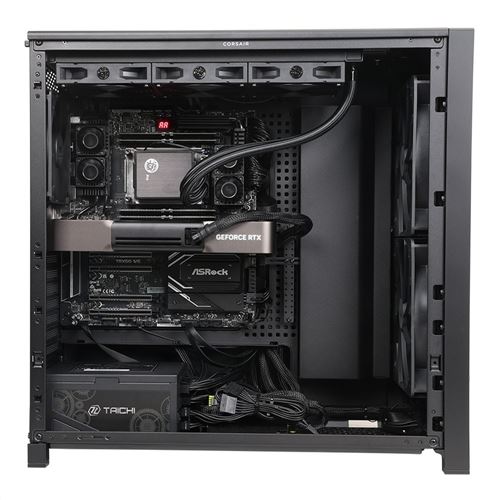
The AI110 features the NVIDIA GeForce RTX 5090 Founders Edition, pairing NVIDIA's Blackwell architecture with 32GB of GDDR7 graphics memory for local AI development, rendering, and graphics-intensive applications. Fifth-generation Tensor Cores accelerate AI inference and machine learning, while fourth-generation RT Cores enable hardware-accelerated ray tracing for rendering and visualization. NVIDIA CUDA technology also enables GPU acceleration across a wide range of development tools and scientific computing applications.
The Founders Edition features NVIDIA's own graphics card design, making it an appealing option for customers who specifically want NVIDIA's version of the RTX 5090.
128GB ECC DDR5 Memory and 2TB Gen5 NVMe Storage
With 128GB of DDR5-5600 ECC registered memory, the AI110 has ample capacity for large datasets, complex development environments, virtual machines, and memory-intensive software. The system supports up to 256GB of RAM for future upgrades. Quad-channel memory architecture delivers high memory bandwidth, while ECC technology helps detect and correct memory errors.
A 2TB PCIe Gen5 NVMe solid state drive offers fast access to the operating system, applications, development tools, and project files.
AMD TRX50 Platform and Hardware Expansion
The AI110 uses the ASRock TRX50 WS motherboard, a workstation-focused platform with PCIe 5.0 connectivity and room for hardware expansion. The motherboard features five full-length PCIe slots with PCIe 5.0 and PCIe 4.0 connectivity for compatible expansion cards and specialized PCIe devices. Additional M.2 connectors and storage interfaces offer options for increasing storage capacity.
The AMD TRX50 platform also features quad-channel ECC DDR5 memory support, providing the bandwidth and reliability needed for memory-intensive applications.
Windows 11 Pro and High-Speed Connectivity
Windows 11 Pro offers a familiar environment for software development, professional applications, and GPU-accelerated computing. Developers can configure the AI110 with tools and frameworks such as NVIDIA CUDA, PyTorch, and TensorFlow for AI experimentation, inference, and application development.
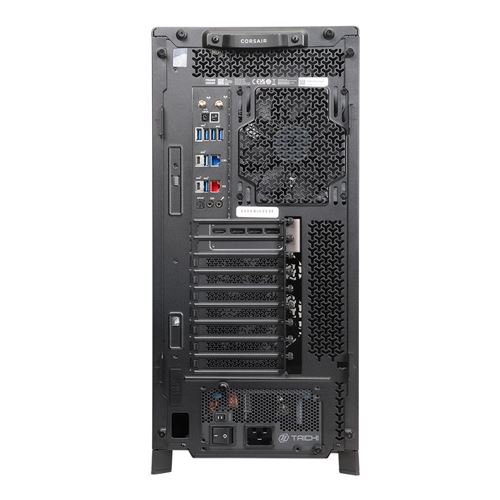
Integrated 10GbE and 2.5GbE LAN connections enable fast data transfers and access to networked storage. Wi-Fi 6E and Bluetooth 5.2 provide wireless connectivity, while USB 3.2 Type-C and Type-A ports accommodate external devices and peripherals.
Corsair FRAME 5000D WORKSTATION Chassis, Cooling, and Power
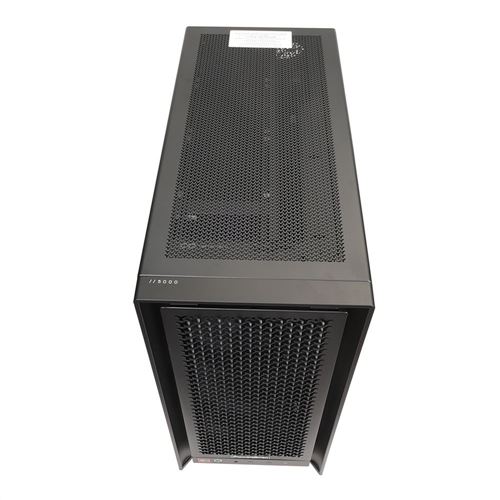
The AI110 is housed in the Corsair FRAME 5000D WORKSTATION, a modular mid-tower chassis built for high-performance workstation hardware. Its airflow-focused design helps ventilate the system, while sound-dampened steel panels help reduce noise. The chassis also includes GPU support features designed to help secure large graphics cards.
A 360mm all-in-one liquid cooler helps keep the processor cool during extended computing sessions, while a 1650-watt power supply powers the system's components.
Warranty and Service Support
The PowerSpec AI110 is backed by a one-year limited parts and labor warranty. Micro Center also offers a 48-hour turnaround service through its service department.
PowerSpec AI110 Workstation FAQs
What types of AI workloads can the PowerSpec AI110 handle?
The PowerSpec AI110 is designed for local AI inference, machine learning development, retrieval-augmented generation (RAG), computer vision, and other GPU-accelerated applications. Its NVIDIA GeForce RTX 5090 Founders Edition graphics card includes 32GB of GDDR7 memory, giving developers room to work with AI models that require substantial GPU memory.
Paired with a 24-core AMD Ryzen Threadripper 9960X processor and 128GB of ECC DDR5 RAM, the AI110 also has the CPU power and system memory needed for data preprocessing, model experimentation, and software development. The AI models it can run will vary depending on their size, architecture, and memory requirements.
How does the RTX 5090's 32GB of GPU memory benefit local AI development?
GPU memory determines how much model data and working information can remain on the graphics card during inference and other GPU-accelerated tasks. More available VRAM can reduce the need to move data between the GPU and system memory, potentially improving performance with larger models, longer context windows, and memory-intensive applications. Understanding why VRAM and memory bandwidth matter for local AI can help developers choose hardware that meets their needs.
The RTX 5090's 32GB of GDDR7 memory makes it suitable for a range of local AI applications, including language model inference, image generation, and computer vision. Actual performance and supported model sizes depend on the software environment, model architecture, and memory requirements.
What advantages does the AMD Threadripper platform provide for AI development?
AI development involves more than GPU processing. Data preprocessing, software compilation, virtualization, and simulation can all benefit from a high core count, substantial system memory, and fast connectivity.
The AI110's AMD Ryzen Threadripper 9960X features 24 cores and 48 threads, while the ASRock TRX50 WS motherboard offers quad-channel ECC DDR5 memory and PCIe 5.0 connectivity. Together, these components give developers the CPU performance, memory bandwidth, and expansion options needed for complex projects.
Can the PowerSpec AI110 be upgraded with additional memory or storage?
The PowerSpec AI110 includes 128GB of ECC DDR5-5600 memory and supports up to 256GB of RAM, allowing users to increase memory capacity as their needs change.
The ASRock TRX50 WS motherboard also features additional M.2 and storage connections for compatible drives, making it possible to expand beyond the included 2TB Gen5 NVMe SSD. Specific upgrade options will depend on the components already installed and their compatibility with the system.
Who should choose the PowerSpec AI110 instead of a higher-end professional AI workstation?
The PowerSpec AI110 is a strong choice for AI developers, software engineers, researchers, content creators, and technical professionals who need powerful local computing without the larger GPU memory capacities or specialized features of professional graphics workstations. Understanding where local AI beats the cloud can also help determine whether a dedicated workstation makes sense for a particular project.
With a 24-core Threadripper processor, RTX 5090 Founders Edition graphics with 32GB of VRAM, and 128GB of ECC system memory, the AI110 is equipped for AI development, GPU-accelerated creative applications, and demanding technical projects. Customers working with models that exceed 32GB of GPU memory or software requiring professional GPU-specific features may be better served by a higher-end workstation.
Product Information
General Information
2.5" Drive
3.5" Drive
Operating System
Case & Motherboard
Processor (CPU)
AMD Ryzen Technologies
Memory (RAM)
Solid State Drive
Display
Graphics/Video
OpenGL 4.6
Vulkan 1.4
Audio
Communications
802.11b
802.11g
WiFi 5 (802.11ac)
WiFi 4 (802.11n)
WiFi 6 (802.11ax)
WiFi 6E (802.11ax)
Front/Top Panel Ports
1 x USB 3.2 (Gen 2 Type-C)
Back Panel Ports
1 x USB 3.2 (Gen 2 Type-C)
4 x USB 3.2 (Gen 2 Type-A)
1 x USB 3.2 (Gen 2x2 Type-C)
Expansion Bays
Expansion Slots
Power
Physical Specifications
Package Contents
Warranty
Vendor Warranty:
- Parts: 1 Year Limited
- Labor: 1 Year Limited
Vendor Support:
- Main Website: https://powerspec.com/
- Support Website: https://powerspec.com/faq
- Support Phone #: 614-850-3670
Micro Center 15 Day Return Policy
We guarantee your satisfaction on every product we sell with a full refund - and you won't even need a receipt.* We want you to be satisfied with your Micro Center purchase. However, if you need help or need to return an item, we're here for you!
If an item you have purchased from us is not working as expected, please visit one of our in-store Knowledge Experts for free help, where they can solve your problem or even exchange the item for a product that better suits your needs.
If you need to return an item, simply bring it back to any Micro Center store for a full refund or exchange.
*If you are a Micro Center Insider or if you have provided us with validated contact information (name, address, email address), you won't even need your receipt.
Accelerate Your Returns with Micro Center's Online Return Check-in!
Desktop / Notebook Computers, Tablets, Processors, Motherboards, Digital Cameras, Projectors, Cell Phones, 3D Printers, 3D Scanners, drones, and specific Branded Game Simulator Accessories may be returned within 15 days of purchase. All other products may be returned within 30 days of purchase. Merchandise must be in new condition, with original carton/UPC, and all packaging/accessories/materials. If you need to return software, a game or a movie, remember that you may not retain any copies - it's not legal, and it's not nice.
VR headsets and Headphones (including AirPods, earbuds, and over-the-ear products) are only eligible for return if deemed defective.
Aerial Drones
Micro Center is happy to honor its customary 15-day return policy for Aerial Drone returns due to product defect or customer dissatisfaction.
Unfortunately, we cannot accept returns with damage due to pilot error. So let’s be careful out there!
As of December 21, 2015 all drones, regardless of purchase date, between 0.55 lb (8.82 oz, 250 g, 0.25 kg) and 55 lb take-off weight are required by the FAA to be registered for outdoor use. Details regarding registration can be found at: https://www.faa.gov/uas/getting_started/
Refunds will be credited to the credit card or debit card account used for the original purchase.
Micro Center Support:
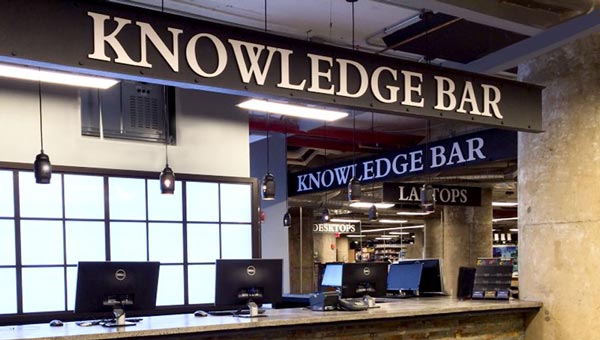
Walk-in Tech Support
As a service to our customers, Micro Center offers in store technical support. Stop in any of our store locations during regular business hours, and our expert staff will answer your computer questions or help you with things like:
- Hardware troubleshooting
- Wireless and wired networking
- Software configuration
- Upgrades
- Tips and tricks
Support for Micro Center purchases
If you need help with products purchased from Micro Center, please contact one of our knowledgeable tech support reps using the online chat button below, or visit our Tech Support page for additional options and helpful information.
Chat with Tech Support

Tech Support Hours
- Monday - Friday 9 am to 12 midnight
- Saturday 10 am to 12 midnight
- Sunday 11 am to 9 pm
- Eastern Time
- * excluding posted holiday hours
Free assistance is available for the first 60 days on new purchases, excluding internal hardware installations or networking support. For new PowerSpec computers, this free assistance is extended to one year from the date of purchase. Your invoice reference number will be required for free assistance.
Ask your Support Technician about additional options available through our exclusive Priority Care Program.
Tech Support accepts the following credit cards: VISA; MasterCard; Discover
Support Resources
Vendor Warranty:
- Parts: 1 Year Limited
- Labor: 1 Year Limited
Vendor Support:
- Main Website:
https://powerspec.com/ - Support Website:
https://powerspec.com/faq - 614-850-3670
Micro Center Community
How To
- Video: How to Remove a Printer in Windows 11
- Video: How to Open an Onscreen Keyboard in Windows 11
- Video: How to Perform a Clean Boot in Windows 11
- Video: How to Run a System File Check in Windows 11
- Video: How To Change Audio Settings in Windows 11
- Video: How to Run a Check Disk Scan in Windows 11
- Video: How to Install a Secondary Drive in Windows 11
- Video: How to Reinstall Network Drivers in Windows 11
- Video: How to Change the Main Display in Windows 11
- Video: How to Adjust Display Scaling in Windows 11
- Video: How to Change App Mode Color in Windows 11
- Video: How to Clean Install Video Drivers in Windows 11
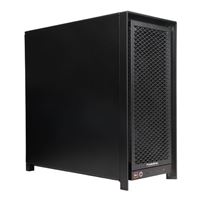
PowerSpec AI110 Workstation AMD Ryzen Threadripper 9960X 4.2GHz Processor; NVIDIA GeForce RTX 5090 Founders Edition 32GB GDDR7; 128GB DDR5-5600 RAM; 2TB Solid State Drive
Available for In-Store Pickup Only.