

Laptops
Micro Center makes choosing the right laptop simple. Shop laptops for gaming, work, or at-home use today - online or by visiting one of our stores nationwide. We have a portable, powerful laptop that will fit your needs.
Laptops
Micro Center makes choosing the right laptop simple. Shop laptops for gaming, work, or at-home use today - online or by visiting one of our stores nationwide. We have a portable, powerful laptop that will fit your needs.









Shop by operating system
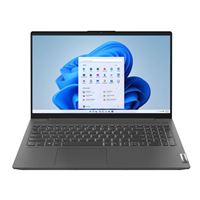
Windows OS Laptops
Windows OS is snappy, responsive, and highly customizable, perfect for business and home use alike.
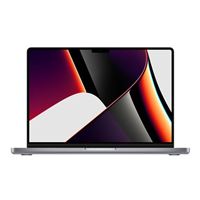
macOS Laptops
Built with users in mind, macOS is quick to pick up and seamlessly integrates with other Apple devices.
Chrome OS Laptops
Designed to be easy to use and accessible, ChromeOS is light and simple to use.
What kind of laptop are you looking for?
Gaming
Laptops with dedicated graphics cards to run the newest and greatest games
Home and Student
Perfect for streaming, web-browsing, and daily school work
Business
Built with high-intensity professional on-the-go work in mind
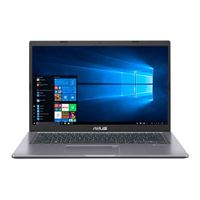
Under $500
We’ve got great deals on a wide range of laptops – from gaming to daily use!
PRIORITY CARE+










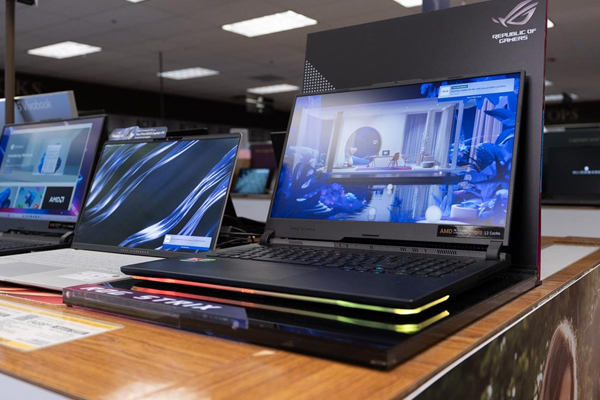


Laptop Accessories

Best Selling Pro Laptops



Best Laptops for Every Use Case
The best laptop depends on what you need it to do. Some laptops are built for gaming and demanding creative work, while others make more sense for school, business, travel, or daily use at home.
Micro Center carries some of the best laptops across these categories, with laptops for sale designed for performance, reliability, and real-world use cases. Once you know your main use case, it becomes much easier to narrow your options by speed, portability, battery life, and price.
What to Look for When Buying a Laptop
Choosing a laptop gets easier when you focus on the core specs that directly impact performance, speed, and everyday usability. Processor, memory, storage, display, graphics, and battery life all play a role in how a laptop performs and how well it fits your routine.
Starting with your primary use case and matching it to the right combination of CPU, memory, and storage can help narrow down your options quickly. For most shoppers, processor and memory have the biggest impact on everyday performance, while storage, display, and battery life help fine-tune the experience.
Processor (CPU)
The processor handles the main tasks your laptop performs. If you mostly browse the web, stream, write documents, and check email, an entry-level or midrange processor is often enough. If you game, edit media, multitask heavily, or run more demanding software, a faster processor can help keep everything running smoothly without slowdowns.
Memory (RAM)
RAM affects how well your laptop handles multiple browser tabs, apps, and larger tasks at the same time.
- 8GB works for lighter use like browsing, email, and streaming.
- 16GB is a strong choice for most users, including school, work, and multitasking.
- 32GB is a better fit for gaming, creative work, and heavier multitasking.
- 64GB to 128GB configurations are commonly used in higher-end mobile workstations, AI workloads, engineering applications, and professional content creation.
If you tend to keep many tabs open or switch between apps frequently, more RAM can help prevent slowdowns and keep your system responsive.
Storage
Storage affects both speed and how much you can keep on your system. Solid-state drives (SSDs) help laptops boot faster, load programs more quickly, and feel more responsive overall.
- 256GB–512GB works well for everyday use, documents, and light media.
- 1TB is a better fit for gaming, creative work, and larger software libraries.
- 2TB to 4TB configurations are useful for large media files, project storage, engineering software, and users who work with larger datasets.
If you plan to keep a large game library, video files, or work projects on your laptop, prioritize higher storage capacity.
Display
Display quality shapes how your laptop looks and feels every day. Full HD is common for everyday use, while higher-resolution displays are a better fit for streaming, creative work, and premium portable setups.
Graphics (GPU)
Graphics determine how well your laptop handles visually demanding tasks.
- Integrated graphics are enough for browsing, streaming, and office work.
- Dedicated graphics are better for gaming, 3D work, and creative applications.
If you plan to play modern games or use graphics-intensive software, a dedicated GPU is the better choice.
Battery Life and Portability
If you carry your laptop between classes, meetings, or trips, portability matters just as much as raw power. A lighter system is easier to move around, and longer battery life helps you stay productive without needing to recharge throughout the day. Shoppers who want added flexibility may also want to compare 2-in-1 laptops.
Gaming Laptops for High-Performance Gaming and Streaming
Gaming laptops are designed for graphics-intensive workloads like modern games and 3D applications. They are also a good choice for people who use demanding apps that benefit from higher-end hardware.
- Dedicated Graphics: Many gaming laptops include more powerful graphics hardware for modern games and visually demanding tasks.
- Faster Displays: Higher refresh rate screens can make gameplay look smoother, especially in faster-paced titles.
- Stronger Performance: Higher-end CPUs and more memory help handle demanding games, multitasking, and background applications without slowdowns.
- Useful Beyond Gaming: These systems can also make sense for creative work that benefits from added power.
If that sounds like the right fit, explore gaming laptops to compare performance, features, and configurations.
Business Laptops for Work and Productivity
Business laptops are designed for work-first use cases like multitasking, video calls, office applications, travel, and day-to-day productivity. Depending on your needs, that can mean anything from a slim portable system to a more powerful laptop for demanding professional software.
- Portable for Daily Use: Lighter designs are easier to carry between home, the office, and meetings.
- Built for Multitasking: More memory and faster processors help when you keep multiple apps, browser tabs, and work files open.
- Ready for Remote Work: Features like webcams, microphones, and wireless connectivity support calls and collaboration.
- Fit for Different Needs: Some systems are ideal for general office use, while others are better suited to more demanding software.
If you plan to use your laptop as part of a desk setup, it may also help to compare laptop docking stations.
Commercial Laptops vs. Mobile Workstations
Not all business laptops are built for the same type of work. Standard commercial laptops are designed for productivity, portability, communication, and everyday office tasks, while mobile workstations are built for more demanding professional applications that require higher performance, larger memory configurations, and workstation-class graphics.
Commercial laptops are commonly used for:
- Office applications and multitasking.
- Video calls, email, and productivity work.
- Travel and all-day portability.
- General business and remote work environments.
Mobile workstations are better suited for:
- CAD, engineering, and 3D applications.
- Video editing and content creation.
- AI applications and technical computing.
- Applications that benefit from workstation-class graphics and higher memory capacity.
Budget Laptops and Chromebooks for Everyday Use
Budget laptops and Chromebooks are commonly used for browsing, streaming, schoolwork, email, and other common daily tasks. They are a good place to start if you want a system that covers the basics without paying for more power than you need.
- Good for Everyday Basics: These systems can handle web use, documents, video calls, and media streaming well.
- Lower Cost of Entry: They make sense for first laptops, shared household systems, and shoppers who do not need higher-end hardware.
- Simple for Daily Use: Many are easy to set up and easy to use for routine tasks.
- Plenty of Portable Options: Slim and lightweight designs are common in this part of the category.
Student Laptops and Home Laptops
Student laptops and home laptops need to be flexible enough for coursework, research, streaming, communication, and everyday use. This part of the category works well for shoppers who want a balance of portability, battery life, and reliable day-to-day capability.
- Easy to Use for Daily Tasks: They work well for homework, web browsing, email, documents, and video calls.
- Portable Enough for Class or Shared Spaces: Many are easy to move between classrooms, study areas, and rooms at home.
- Available Across Different Platforms: Shoppers can compare options based on what they already use and what their needs require, including systems like the MacBook Air and MacBook Pro.
- Offered at Different Price Points: There are options for shoppers looking for something basic as well as those who want a more premium everyday system.
Refurbished Laptops
Refurbished laptops can be a smart option for shoppers who want to spend less while still getting a capable system for work, school, or everyday use. They are worth considering if value is a priority or if you need a secondary system for travel, backup, or shared use.
- Lower Upfront Cost: Refurbished systems can help stretch your budget further.
- Useful for Common Tasks: They can work well for browsing, schoolwork, office tasks, and general daily computing.
- Good as Secondary Systems: A refurbished laptop can make sense as a backup device, travel laptop, or starter system.
- Value Across Different Configurations: This category can give shoppers more ways to compare price and features.
If price and practicality are top priorities, compare refurbished laptops as part of your search.
Laptop Buying FAQs
What matters most when choosing a laptop?
For most users, processor and memory have the biggest impact on everyday performance. Storage, display quality, and battery life help fine-tune the experience based on how you use your laptop, whether that's for work, school, or gaming.
How much RAM do you need in a laptop?
Most users will find 16GB is a strong balance for work, school, and multitasking, while 8GB works for lighter use like browsing and streaming. For gaming, creative work, and more demanding applications, 32GB is often a better fit. Higher-end laptops and mobile workstations may also include 64GB to 128GB configurations for professional software, AI applications, engineering tasks, and larger datasets.
Do you need a dedicated GPU in a laptop?
Integrated graphics are enough for everyday tasks like browsing, streaming, and office work. A dedicated GPU is the better choice for gaming, 3D design, video editing, and other graphics-intensive applications that require more processing power.
Need Help Choosing the Right Laptop?
If you are still narrowing down your options, compare laptop types based on how you plan to use the system most often. Starting with your main use case can make it easier to decide which features matter and which ones you can skip.
Many shoppers find it helpful to compare laptop categories side by side or browse our buying guides for additional insights before making a final decision. If you prefer to shop in person, you can also visit your local Micro Center store and talk with an expert about what you need your laptop to do.