

Workstations
Looking for a powerful PC for demanding tasks? Discover the best desktop and laptop workstations for your budget. We have the perfect lineup if you need a portable workstation for on-the-go or a desktop workstation for data analysis, CAD, 3D rendering, or photo and video editing. Shop one of our nationwide locations and get the performance you deserve.
Workstations
Looking for a powerful PC for demanding tasks? Discover the best desktop and laptop workstations for your budget. We have the perfect lineup if you need a portable workstation for on-the-go or a desktop workstation for data analysis, CAD, 3D rendering, or photo and video editing. Shop one of our nationwide locations and get the performance you deserve.



Shop Top Rated Workstations






Shop Workstations by Budget
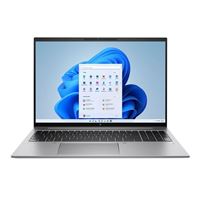
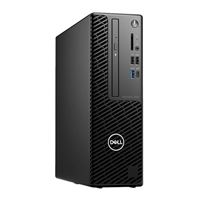
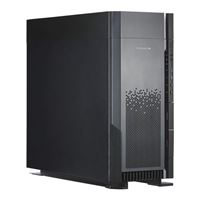

Shop Best Selling Desktop Workstations





Shop Intel CPU Desktop Workstations
Shop AMD CPU Desktop Workstations
Professional Workstation PCs for CAD, AI, 3D Rendering, and Video Editing
High-performance workstation PCs are designed for professionals who rely on consistent performance when working with complex data, large files, and resource-intensive applications. They are commonly used for CAD, AI and machine learning, 3D rendering, video editing, engineering, and other software-intensive tasks that benefit from stronger components, higher memory capacity, and reliable performance under sustained workloads.
Micro Center offers a wide range of workstation PCs built for these demanding environments, with configurations that prioritize professional-grade processors, graphics, memory, and storage. If your work depends on stability, expandability, and steady performance under heavier loads, a workstation is typically the better fit.
What Is a Workstation PC?
A workstation PC is a professional desktop or mobile computer designed for complex workflows, sustained workloads, and applications that place heavier demands on processing power, graphics, memory, and reliability. Compared with a standard desktop, workstations are built with higher-end components and configurations that support more demanding software and longer computing sessions.
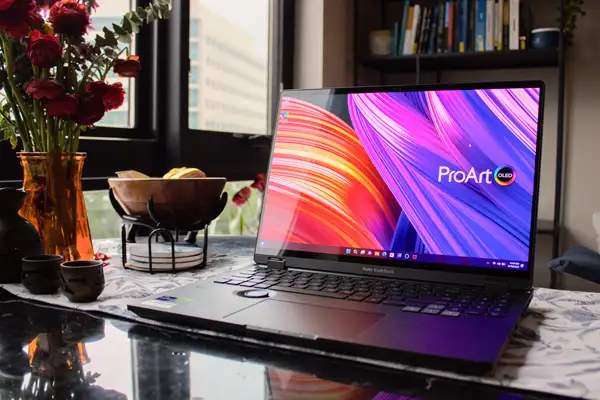
These systems are often powered by Intel Xeon or AMD Threadripper PRO processors, paired with NVIDIA RTX Professional or AMD Radeon Pro graphics, higher memory capacity, and features designed for professional environments. If you need a mobile option for similar workloads, compare workstation laptops for high-performance on the go.
Key Workstation Features
- Multi-Core CPUs: Support rendering, simulation, compiling, and other compute-heavy tasks.
- Professional Graphics: Optimized for applications that rely on certified drivers, long-session stability, and specialized visual performance.
- ECC Memory Options: Improve reliability and data integrity in critical workflows.
- Higher Memory Capacity: Supports larger files, datasets, and multitasking demands.
- Expandability: Allows for additional storage, PCIe expansion, and more advanced configurations over time.
- ISV Certification: Ensures compatibility with professional software used in CAD, engineering, media, and similar fields.
Workstation vs Desktop PC: What's the Difference?
Choosing between a workstation and a traditional desktop PC comes down to your workload, the software you use, and how much performance you need over time. Workstations are purpose-built for demanding workloads that require advanced processing power, superior graphics capabilities, and enhanced reliability. In contrast, standard PCs are designed for everyday computing tasks, offering a more budget-friendly solution for general use.
Workstations are designed for:
- CAD, engineering, and design software
- AI and machine learning workflows
- 3D modeling, rendering, and simulation
- Video editing and post-production
- Long, resource-intensive computing sessions
- Financial forecasting & modeling
- Big data analysis
- Professional animation
Traditional desktops are better suited for:
- Web browsing and email
- Office applications and general productivity
- Light creative work
- Spreadsheet work and basic data tasks
- Casual gaming
- Home & school use
Key Differences
- Processing Power: Workstations typically use higher-end CPUs like Intel Xeon or AMD Threadripper PRO, built for demanding and multi-threaded workloads.
- Memory Support: Many workstations support larger RAM capacities and ECC memory for improved stability and data integrity.
- Graphics: Professional GPUs such as NVIDIA RTX Professional or AMD Radeon Pro are designed for software compatibility and long-session reliability.
- Software Compatibility: Some workstation hardware is ISV-certified for professional applications used in CAD, engineering, and media workflows.
Workstations are typically the better fit when your work depends on certified hardware, higher memory ceilings, or sustained performance under heavy workloads. A traditional desktop is usually the better choice for general productivity, everyday computing, and less specialized tasks.
Some shoppers may also want to compare workstations with gaming desktops for high-performance computing, especially when both categories offer strong hardware but are built around different priorities.
How to Choose the Best Workstation for Your Workload
Start by identifying the kind of work you do, the software you rely on, and whether your workflow depends more on CPU performance, graphics power, or both.
Choose the Right Processor
The processor plays a central role in workstation performance. For most professional workloads, it should be a top priority. If your work involves rendering, simulation, compiling, or other compute-heavy tasks, prioritize systems with more CPU power and the right balance of core count and clock speed.
- Intel Xeon: Often associated with professional workstation environments and reliability-focused configurations.
- AMD Threadripper PRO: Commonly used for highly threaded workloads and higher-end workstation builds.
- Core Count vs. Clock Speed: Some applications benefit more from many cores, while others depend more on faster per-core performance.
If you want to explore your options further, compare CPUs to find the right fit for your workload.
Select the Right GPU
The GPU is critical when your work includes rendering, CAD, animation, video editing, AI workflows, or other graphics-intensive tasks. In many professional environments, stability and driver support matter just as much as raw performance.
- NVIDIA RTX Professional: Often used in professional workflows that depend on certified drivers and specialized graphics performance.
- AMD Radeon Pro: Another professional graphics option for workstation-class use.
- Certified Drivers: Important for many professional applications, especially when software compatibility and long-session stability matter.
If graphics capability is central to your workflow, compare graphics cards to find the right performance for your needs.
Determine RAM Requirements
RAM affects how much data your system can actively work with at one time. Workstations often start at higher memory levels because professional applications, larger files, and heavier multitasking demand more headroom.
- 32GB Baseline: A common starting point for many workstation use cases.
- 64GB: A better fit for rendering, simulation, larger media files, or heavier multitasking.
- 128GB: Often used for complex simulations, very large datasets, high-resolution video work, and environments where multiple demanding applications run at once.
- ECC for Reliability: Useful in environments where memory stability and error correction are important.
Plan for Storage and Expansion
Storage needs vary widely by workload, but workstation users often benefit from fast primary storage, room for larger project files, and expansion options over time. This is especially important if your work involves large media, datasets, or multiple applications running together.
- NVMe SSDs: Good for fast boot times, quicker file access, and better responsiveness.
- RAID Options: Useful in professional environments depending on storage, redundancy, or performance needs.
- Additional PCIe Slots: Helpful for users who may want to add more storage, capture cards, networking, or other expansion hardware later.
If storage flexibility is a priority, compare SSDs to find the right capacity and speed for your workflow.
For most professional users, the right workstation comes down to balancing CPU performance, GPU capability, memory capacity, and storage based on the specific demands of your workflow.
Workstation Configurations by Use Case
Different professional workloads place different demands on a workstation. The best fit depends on the software you use, the size of your files or datasets, and whether your work leans more heavily on CPU performance, graphics performance, memory capacity, or long-session stability.
Video Editing and Post-Production Workstations
Video editing and post-production workloads rely on strong CPU performance, high memory capacity, fast storage, and powerful graphics to handle rendering, effects processing, and large project files without slowdowns.
- High Core-Count CPUs: Improve rendering and export times.
- 64GB to 128GB RAM: Supports larger timelines, effects, and multitasking.
- High-VRAM GPUs: Helps with real-time playback and visual effects.
- NVMe Storage: Speeds up file access and project responsiveness.
CAD and Engineering Workstations
CAD and engineering workloads often depend on a combination of CPU speed, graphics stability, and software compatibility. Many users in this category care as much about driver reliability and certified support as they do about raw hardware specs.
- ISV-Certified GPUs: Often important for professional CAD and engineering software.
- Professional Applications: Common examples include SolidWorks, Revit, and AutoCAD.
- High Clock Speeds: Useful for many design-focused workloads.
- Driver Stability: A key factor in professional environments where consistency matters.
AI and Machine Learning Workstations
AI and machine learning workloads can require substantial compute resources, memory capacity, and graphics acceleration depending on the models, datasets, and tools being used. Systems in this category are often built for more intensive processing and scalability.
- CUDA Cores: Often relevant in GPU-accelerated AI workflows.
- Tensor Cores: Important in many machine learning environments.
- Multi-GPU Capability: Useful in some higher-end or more specialized setups.
- Large Memory Pools: Helpful when working with larger models or datasets.
- High VRAM Capacity: Important for loading larger models and working with more complex datasets in GPU-accelerated workflows.
Financial Modeling and Data Analysis
Financial modeling and data analysis workstations often benefit from strong CPU performance, higher RAM capacity, and reliability during longer computing sessions. The right configuration depends on the size of your datasets, the complexity of your models, and how many tools or files you need to run at once.
- High RAM Capacity: Helpful for larger models, datasets, and multitasking.
- Multi-Threaded Performance: Useful for heavier analytical workloads.
- Reliability for Long Sessions: Important when systems need to stay stable under sustained use.
- Consistent Responsiveness: Helps maintain performance when working across complex files and applications.
Workstation Buying FAQs
How much RAM do you need for a workstation?
For many professional workloads, 32GB is a common starting point, while 64GB or more is a better fit for rendering, simulation, larger datasets, and heavier multitasking. For more advanced use cases — such as working with very large datasets, complex simulations, or running multiple demanding applications at the same time — 128GB may be worth considering. Higher memory capacity becomes more important as project size and complexity increase.
Do you need a professional GPU for a workstation?
A professional GPU is often the better choice if your work depends on CAD, 3D modeling, video editing, or other graphics-intensive applications that rely on certified drivers and long-session stability. For some workloads, especially those that prioritize raw performance over certification, high-end consumer GPUs may still be a viable option.
What matters most when choosing a workstation?
The most important factors depend on your workflow, but for most users, it comes down to CPU performance, GPU capability, memory capacity, and storage speed. Identifying which of these your applications rely on most helps you choose a system that performs consistently for your specific use case.
Need Help Choosing the Right System?
If you are still deciding between a workstation PC and a traditional desktop, it can help to talk through your software, workload, and performance priorities before you buy. The right system depends on what you use every day, how demanding your projects are, and how much room you need for expansion over time.
If you need a more tailored configuration, build a custom workstation with our workstation builder, or schedule a consultation to talk through your needs with Micro Center. You can also visit your local store and speak with a knowledgeable associate about the kind of work you do.