


HP Z2 Mini G1a Workstation Desktop PC AMD Ryzen AI Max+ PRO 395 3.0GHz Processor; 128GB LPDDR5x-8533 RAM; 2TB Solid State Drive; AMD Radeon 8060S Graphics


Z2 Mini G1a Workstation Desktop PC AMD Ryzen AI Max+ PRO 395 3.0GHz Processor; 128GB LPDDR5x-8533 RAM; 2TB Solid State Drive; AMD Radeon 8060S Graphics
- AMD Ryzen AI Max+ PRO 395 3.0GHz Processor
- 128GB LPDDR5x-8533 RAM
- 2TB Solid State Drive
- AMD Radeon 8060S Graphics
- Microsoft Windows 11 Pro
- 2.5GbE LAN
- 2x2 MediaTek Wi-Fi 7 MT7925+Bluetooth 5.4 Wireless Card
Unlock workflows previously not possible on a mini workstation. Transformative performance is packed into a compact Next Gen AI PC to take on complex AI accelerated projects like never before-simultaneously 3D design an render graphics-intensive projects or work locally with LLMs.
What are the core specifications of the HP Z2 Mini G1a Workstation Desktop PC?
The HP Z2 Mini G1a is a compact mini workstation PC built around an AMD Ryzen AI Max+ PRO processor, integrated Radeon graphics, unified high-speed memory, and NVMe solid-state storage. It supports up to 128 GB of LPDDR5x ECC memory, dual PCIe NVMe SSDs, and modern connectivity in a small, desk-friendly chassis. As a workstation-class system, it sits within our broader lineup of desktop computers, offering more capability than typical consumer mini PCs.
What kinds of professional workloads is the HP Z2 Mini G1a designed to handle?
The HP Z2 Mini G1a is best suited for professional workloads that benefit from strong CPU performance, large memory capacity, and efficient local AI processing. Common use cases include CAD and BIM, content creation, software development, data analysis, and AI-assisted applications. It is designed for users who need workstation reliability in a prebuilt workstation PC without moving to a full-size tower.
How does the AMD Ryzen AI Max+ PRO 395 processor enhance performance in this mini workstation?
The AMD Ryzen AI Max+ PRO 395 enhances performance by combining high core counts, integrated graphics, and a built-in AI processor in a single chip, depending on workload and software support. This design allows the system to balance multi-threaded tasks, graphics workloads, and AI-accelerated features without requiring a separate GPU. The shared memory architecture helps large datasets and complex projects run more smoothly across applications.
What connectivity options and ports are available on the HP Z2 Mini G1a?
The HP Z2 Mini G1a includes a broad range of modern connectivity options for displays, peripherals, and networking. Typical configurations include Thunderbolt 4 and USB-C ports, multiple USB-A ports, Mini DisplayPort outputs, Ethernet, Wi-Fi 7, and Bluetooth. Some configurations also offer flexible I/O modules for additional networking or specialized connections, making this mini desktop PC adaptable to different professional setups.
Can the HP Z2 Mini G1a support multiple displays and AI-accelerated workflows?
Yes, the HP Z2 Mini G1a is designed to support multi-display setups while also handling AI-accelerated workflows on the same system. Its integrated graphics and display outputs allow several high-resolution monitors to run at once, while the built-in AI processor supports on-device inference and AI-assisted features in compatible software. This combination is why it is often described as an AI workstation for compact professional environments.
Product Information
General Information
Operating System
Case & Motherboard
Horizontal
Processor (CPU)
Neural Processor (NPU)
Memory (RAM)
Solid State Drive
Display
Graphics/Video
Audio
Communications
802.11b
802.11g
WiFi 5 (802.11ac)
WiFi 4 (802.11n)
WiFi 6 (802.11ax)
WiFi 6E (802.11ax)
WiFi 7 (802.11be)
Back Panel Ports
Expansion Slots
Power
Environmental Specifications
Physical Specifications
Package Contents
Warranty



How Much Trust Do We Put in AI?
This report explores how Americans use and trust artificial intelligence in everyday life, based on a survey of 1,000 people examining attitudes toward AI tools, verification habits, and the ability to recognize AI-generated content. The findings reveal a growing reliance on AI for work, information, and decision-making.
Continue Reading

Vendor Warranty:
- Parts: 1 Year Limited
- Labor: 1 Year Limited
Vendor Support:
- Main Website: http://www.hp.com
- Support Website: http://www8.hp.com/us/en/support-drivers.html
- Support Phone #: 800-474-6836
Micro Center 15 Day Return Policy
We guarantee your satisfaction on every product we sell with a full refund - and you won't even need a receipt.* We want you to be satisfied with your Micro Center purchase. However, if you need help or need to return an item, we're here for you!
If an item you have purchased from us is not working as expected, please visit one of our in-store Knowledge Experts for free help, where they can solve your problem or even exchange the item for a product that better suits your needs.
If you need to return an item, simply bring it back to any Micro Center store for a full refund or exchange.
*If you are a Micro Center Insider or if you have provided us with validated contact information (name, address, email address), you won't even need your receipt.
Accelerate Your Returns with Micro Center's Online Return Check-in!
Desktop / Notebook Computers, Tablets, Processors, Motherboards, Digital Cameras, Projectors, Cell Phones, 3D Printers, 3D Scanners, drones, and specific Branded Game Simulator Accessories may be returned within 15 days of purchase. All other products may be returned within 30 days of purchase. Merchandise must be in new condition, with original carton/UPC, and all packaging/accessories/materials. If you need to return software, a game or a movie, remember that you may not retain any copies - it's not legal, and it's not nice.
VR headsets and Headphones (including AirPods, earbuds, and over-the-ear products) are only eligible for return if deemed defective.
Aerial Drones
Micro Center is happy to honor its customary 15-day return policy for Aerial Drone returns due to product defect or customer dissatisfaction.
Unfortunately, we cannot accept returns with damage due to pilot error. So let’s be careful out there!
As of December 21, 2015 all drones, regardless of purchase date, between 0.55 lb (8.82 oz, 250 g, 0.25 kg) and 55 lb take-off weight are required by the FAA to be registered for outdoor use. Details regarding registration can be found at: https://www.faa.gov/uas/getting_started/
Refunds will be credited to the credit card or debit card account used for the original purchase.
Micro Center Support:
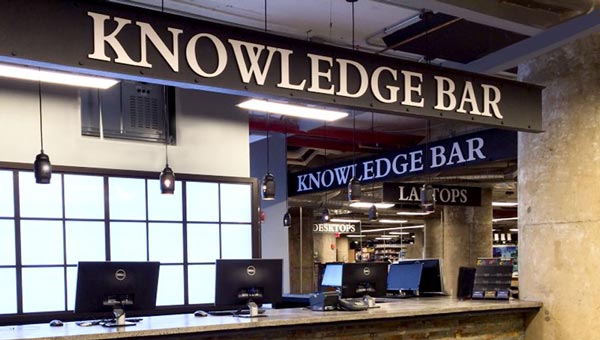
Walk-in Tech Support
As a service to our customers, Micro Center offers in store technical support. Stop in any of our store locations during regular business hours, and our expert staff will answer your computer questions or help you with things like:
- Hardware troubleshooting
- Wireless and wired networking
- Software configuration
- Upgrades
- Tips and tricks
Support for Micro Center purchases
If you need help with products purchased from Micro Center, please contact one of our knowledgeable tech support reps using the online chat button below, or visit our Tech Support page for additional options and helpful information.
Chat with Tech Support

Tech Support Hours
- Monday - Friday 9 am to 12 midnight
- Saturday 10 am to 12 midnight
- Sunday 11 am to 9 pm
- Eastern Time
- * excluding posted holiday hours
Free assistance is available for the first 60 days on new purchases, excluding internal hardware installations or networking support. For new PowerSpec computers, this free assistance is extended to one year from the date of purchase. Your invoice reference number will be required for free assistance.
Ask your Support Technician about additional options available through our exclusive Priority Care Program.
Tech Support accepts the following credit cards: VISA; MasterCard; Discover
Support Resources
Vendor Warranty:
- Parts: 1 Year Limited
- Labor: 1 Year Limited
Vendor Support:
- Main Website:
http://www.hp.com - Support Website:
http://www8.hp.com/us/en/support-drivers.html - 800-474-6836
Micro Center Community
How To
- Video: How to Remove a Printer in Windows 11
- Video: How to Open an Onscreen Keyboard in Windows 11
- Video: How to Perform a Clean Boot in Windows 11
- Video: How to Run a System File Check in Windows 11
- Video: How To Change Audio Settings in Windows 11
- Video: How to Run a Check Disk Scan in Windows 11
- Video: How to Install a Secondary Drive in Windows 11
- Video: How to Reinstall Network Drivers in Windows 11
- Video: How to Change the Main Display in Windows 11
- Video: How to Adjust Display Scaling in Windows 11
- Video: How to Change App Mode Color in Windows 11
- Video: How to Clean Install Video Drivers in Windows 11

HP Z2 Mini G1a Workstation Desktop PC AMD Ryzen AI Max+ PRO 395 3.0GHz Processor; 128GB LPDDR5x-8533 RAM; 2TB Solid State Drive; AMD Radeon 8060S Graphics
0 NEW IN STOCK at Miami Store