

 AI Development
AI Hardware and Components
AI performance comes down to the parts inside. From GPUs and memory to storage and cooling, we carry the components that power real AI workloads, plus the tools and guides to help you build with confidence.


From Processing Power to Real-World Possibility
Explore our stores to see how AI components bring intelligence to local AI builds, robotics, computer vision, automation, and other edge AI applications.
Build What’s Next
Find the hardware to experiment, prototype, and turn your next AI idea into something real.
SHOP ALL AI COMPONENTS THE MICRO CENTER EXPERIENCE
Everything You Need, Available Now
Browse thousands of AI components in stock and ready to go at Micro Center, and talk with our experts to find exactly what your build needs.
FIND A STORE NEAR YOU
AI COMPUTERS AND WORKSTATIONS
Looking for a Complete AI Computer or Workstation?
Shop Micro Center’s selection of AI-ready desktops, laptops, and workstations built for demanding workloads.
Explore AI Computers and Workstations
Shop GPUs for Local AI


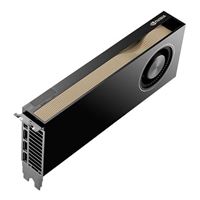





Find the Right Components for Your Build
Researchers, creators, developers, and teams. Whatever you’re building, there’s a component ready for it.
Developers
& Engineers
How Much GPU Do You Really Need for Local AI? RTX 5070 Ti vs 5090 vs PRO 6000
WATCH VIDEOCreators
Are 1Gbps Home Networks a Local AI Bottleneck? Why 2.5GbE+ Ports are The New Norm.
READ ARTICLEShop Top Deals on Leading AI Components


 MIX, MATCH & SAVE!
 BUILD YOUR OWN PC
Ultimate PC Builder
The Micro Center PC Builder walks you through every decision, from processor and memory to power supply and cooling.
Spec it, Build It, Own It!What Goes Into a Great AI Build

CPUs That Keep Up With Your GPU
Today's CPUs share real AI workloads, not just support the GPU
More PCIe lanes and memory channels keep data flowing
More cores and threads support CPU-based AI workloads and multitasking
Built to scale as AI applications grow more demanding

GPU / VRAM: More Power, Bigger Models
More VRAM lets you run larger models locally
AI accelerators, such as NVIDIA Tensor Cores, speed up supported training and inference workloads
Multi-GPU setups scale with bigger workloads

System Memory for Smoother System Performance
More RAM keeps large datasets in memory
Adequate RAM capacity and bandwidth help keep demanding AI workloads running smoothly
ECC options add stability for long-running jobs

OS / Software Built for Your Workflow
Choose an OS that supports your AI frameworks
Driver and toolkit support for CUDA and ROCm
Containers and virtual environments keep projects organized

Storage That Keeps Pace
Fast NVMe SSDs load models and datasets quickly
Extra capacity for checkpoints and training data
Separate drives keep the OS and projects apart

Use Case / LLM Selection:
Build for What You’re Running
Match your hardware to the models you plan to run
Larger LLMs need more VRAM and system memory
Plan headroom for fine-tuning as well as inferencing
We Know AI Hardware & We’ll Show You
We’re your Pro AI destination — our experts stock, test, and talk through this hardware daily. Check out a breakdown of every category we carry.
AI Insights
The latest AI news, trends, and product updates in one place.
Cooling For Local AI: Why Sustained Inference Can Be Harder On Your PC Than Gaming
Cooling for local AI is a different job than cooling a gaming PC. Learn why VRAM heats up first, how to power limit your GPU, and how to fix airflow.
READ ARTICLE See All NewsHow Much GPU Do You Really Need for Local AI?
Daniel and Jordan test a 16GB RTX 5070 Ti, a 32GB RTX 5090, and a 96GB RTX PRO 6000 with LM Studio to find out how much GPU local AI really takes.
WATCH VIDEOBenchmarking the RTX Spark
See the first results from the Microsoft Surface Laptop Ultra.
SEE THE RESULTSFrequently Asked Questions About AI Hardware and Components
Still deciding? These are the questions we hear most.
What hardware do I need to run AI models locally?
A local AI build typically requires a compatible CPU, GPU, sufficient system memory, storage, motherboard, power supply, and cooling. The appropriate hardware depends on the models you plan to run and whether you're performing inference, training, or development.
How much GPU VRAM do I need for local AI?
VRAM requirements depend on the model's size, quantization, context length, and workload. Smaller models may run on GPUs with 8GB to 12GB of VRAM, while larger models can require 24GB, 48GB, or more. Higher VRAM capacity generally allows you to run larger models locally.
Is a GPU or CPU more important for AI workloads?
For many local AI workloads, particularly large language model inference and training, GPU performance and VRAM capacity are primary considerations. CPUs remain important for system operations, data preparation, and workloads that aren't GPU-accelerated.
How much RAM do I need for a local AI computer?
The amount of system RAM you need depends on your workload, model size, and GPU configuration. A system with 32GB of RAM can be a starting point for many local AI applications, while larger models, development environments, and multitasking may benefit from 64GB or more.
Can I upgrade my existing PC for local AI?
Yes. Many existing desktop PCs can be upgraded for local AI by adding a compatible GPU, increasing RAM, or expanding storage. Before upgrading, check your motherboard compatibility, available PCIe slots, power supply capacity, case clearance, and cooling.
Does Micro Center sell components for building AI workstations?
Yes. Micro Center carries GPUs, CPUs, motherboards, memory, storage, power supplies, cooling solutions, and other components for AI workstation builds. Our in-store associates can help you select compatible hardware for your intended workloads.
AI Hardware, Available at Micro Center
Explore AI-ready GPUs, CPUs, memory, and more at Micro Center. Check availability at your local store to find the components you need for your build.
GPUs Built for AI Workloads
From consumer-grade cards to high-VRAM workstation GPUs, Micro Center stocks the graphics hardware that powers local AI inference and training.
Workstation CPUs for Serious AI Builds
AMD Threadripper and other workstation-class processors offer high core counts, memory bandwidth, and PCIe connectivity for demanding AI workloads. Explore workstation CPUs at Micro Center.
Choosing the Right Memory for AI Applications
AI performance depends on more than raw graphics power. Micro Center’s experts can help you choose RAM and memory configurations that keep pace with your GPU instead of holding it back.
Expert Guidance for Every AI Build
Whether you’re assembling your first AI workstation or upgrading an existing rig, Micro Center’s in-store experts can walk you through component compatibility and performance tradeoffs before you buy.
Local AI Starts With the Right Hardware
Running AI models locally can reduce reliance on cloud services, help keep sensitive data on your own hardware, and enable offline operation. Micro Center has the components to build it right.