

 AI Development
AI Systems
Shop AI-ready desktops, laptops, and components built for everything from local model training to everyday creative work. Find the right system, get expert support, and see it all in person at any of our 30 locations nationwide.


Choose the Right Tools for Local AI
Compare local AI software, hardware, deployment options, and models to find the setup that fits your workflow.
Ollama vs.
LM Studio
Compare two popular ways to run AI models on your own computer. See how Ollama’s streamlined, developer-friendly workflow compares with LM Studio’s visual model browser and desktop interface.
COMPARE LOCAL AI TOOLS
Local AI vs.
Cloud AI
Local AI keeps your data on your device, works offline, and gives you control over the models you use. Learn where it outperforms cloud AI—and when the cloud is still the better choice.
EXPLORE LOCAL AI
CPU vs. GPU
vs. NPU
CPUs handle everyday computing, GPUs accelerate demanding parallel workloads, and NPUs efficiently power specialized AI features. Learn what each processor does and which one your workflow needs.
COMPARE AI PROCESSORS
Local LLMs for
8GB, 16GB, and 32GB+
Model size and available memory shape local AI performance. Explore recommended LLMs for different memory capacities, from lightweight assistants to models built for coding and complex reasoning.
FIND THE RIGHT MODEL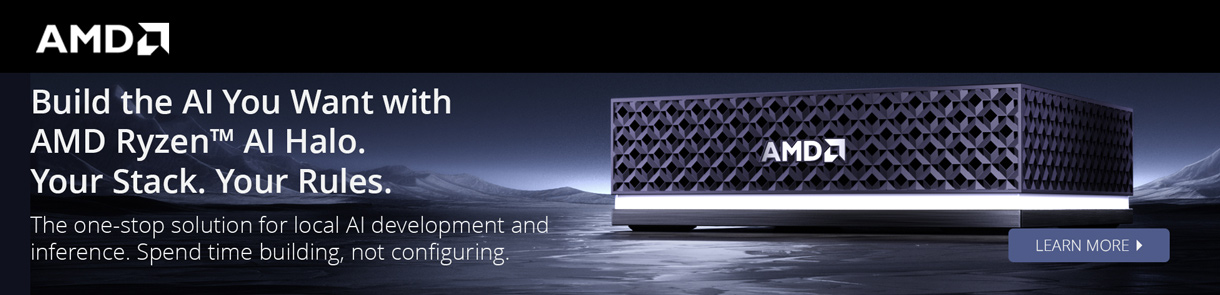
AI Workstation Top Picks











The Supercomputer That Fits at Your Desk
With the NVIDIA AI software stack preinstalled, the DGX Spark lets developers create, test, and validate AI models and applications right at their desk, then seamlessly move to the cloud when it's time to deploy.
Buy NowRun up to 200B Parameter Models
Fine-Tune Models Up to 70B Parameters Locally
128GB of Memory Built for Heavy Data Work
Build Robotics with NVIDIA’s Own AI Frameworks
Desktop or Laptop? Start Here.
Ready-to-run, industry-leading workstations built to handle demanding AI workloads right out of the box.
Desktop
Workstations
Built to scale with the most powerful graphics cards, ready for the largest models you can throw at it.
Shop AI DesktopsA Powerful New
Chapter for PCs
NVIDIA RTX Spark™ brings NVIDIA AI and RTX graphics together to redefine Windows PCs for creators, AI developers, and gamers
Shop RTX Workstations THE MICRO CENTER EXPERIENCE
Come See What These Systems Can Do
Watch top workstations run real AI programs on the show floor, and get expert help finding or building your system at the BYO PC station.
FIND A STORE NEAR YOU
AI COMPONENTS
Go Custom With Industry-Leading AI Components
Want full control over every part? Shop the CPUs, GPUs, memory, and storage to build your own AI system from the ground up.
EXPLORE AI COMPONENTSInside a Real Ryzen
AI Halo Workflow
We walk through practical use cases for Ryzen AI Halo, including local AI assistants, production planning, transcript work, content support, creative workflows, and the value of having a powerful mini PC with a large unified memory pool.
SHOP THE RYZEN AI HALOThe AI Workstation You Can’t Get Anywhere Else
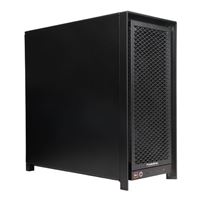
Meet the PowerSpec AI100. Serious speed. Serious power. Engineered in-house to handle the most demanding AI workloads, and built to keep up as they grow.
Get Your Powerspec ai100
Can AI Speed Up Your Video Editing?
Our Senior Content Manager builds a local AI assistant editor with AMD Ryzen AI to search transcripts, surface sound bites, and organize footage across interviews, documentaries, and long-form projects.
AI Insights
The latest AI news, trends, and product updates in one place.
Can Your PC Run OpenAI's New GPT-OSS Large Language Models?
These new AI models from the maker of ChatGPT are available for anyone to download and run, if you have enough RAM and processing power.
READ ARTICLEAM4 vs AM5 vs Threadripper: Does CPU Performance Matter for Local AI?
See how much your processor really matters for local AI.
Watch VideoAI Analytics for Small Business Owners
Small businesses need to pick the right software (and hardware) to get the most out of AI.
Read ArticleFrequently Asked Questions About AI Computers and Workstations
Still deciding? These are the questions we hear most.
What kind of AI products does Micro Center offer?
Micro Center offers AI-ready desktop computers, laptops, and professional workstations designed for everything from everyday AI applications to demanding machine learning and development workloads. Our selection includes systems from NVIDIA, AMD, PowerSpec, and other leading manufacturers.
We also carry GPUs, processors, memory, storage, and other components for building or upgrading your own AI computer. Visit your local Micro Center for expert advice on choosing the right hardware for your needs.
How do I choose the right AI computer or workstation?
The right AI computer depends on your intended applications, the size of the AI models you want to run, and whether you’ll process workloads locally or in the cloud.
Consider these key factors:
- GPU and VRAM: Particularly important for running large language models, AI image generation, and other GPU-accelerated workloads. Larger models generally require more available memory.
- RAM: Provides memory for your operating system, applications, and AI workloads. Systems with unified memory may also allow compatible AI models to use a larger shared memory pool.
- CPU: Handles general computing tasks, data preparation, and workloads that don’t rely primarily on GPU acceleration.
- Storage: Fast SSDs help with loading models, managing datasets, and handling large project files.
- Software Compatibility: Check that your preferred AI tools and frameworks support your system’s hardware and operating system.
For personalized guidance, visit Micro Center and speak with our computer specialists.
How can I compare different AI computers and workstations?
AI computer performance depends on the applications and models you plan to use. There is no single benchmark that accurately represents every AI workload.
When comparing systems, consider GPU performance, available VRAM or unified memory, system RAM, processor capabilities, storage, and software compatibility.
Independent benchmarks and real-world performance tests can help you understand how different systems handle tasks such as local LLM inference, model training, image generation, and video editing.
Micro Center associates can also help you compare available systems based on your specific needs and budget.
Which AI software and development tools should I use?
The best AI software depends on your hardware, technical experience, and intended applications. Popular options include:
- Ollama: A tool for downloading and running compatible large language models locally, with support for command-line and API-based workflows.
- LM Studio: A desktop application for discovering, downloading, and running compatible AI models through a graphical interface.
- NVIDIA CUDA: A GPU computing platform widely used in AI development, machine learning, and accelerated computing.
- AMD ROCm: An open software platform that supports GPU-accelerated computing and AI development on compatible AMD hardware.
- Hugging Face: A platform offering AI models, datasets, libraries, and tools for developing and deploying machine learning applications.
Before selecting a platform, verify compatibility with your operating system, GPU, and preferred AI models. For additional guidance, explore Micro Center’s local AI guides.
How can I stay up to date on the latest AI products and developments?
Visit Micro Center’s AI Computers and Workstations page for new hardware, featured products, buying guides, and practical AI applications.
You can also explore MC News for product announcements, demonstrations, tutorials, and coverage of emerging AI technologies.
For broader developments in AI software and research, follow official updates from companies and communities such as NVIDIA, AMD, OpenAI, Anthropic, and Hugging Face.
What is an AI Computer?
AI computers and workstations are designed to handle demanding workloads such as machine learning, generative AI, and large-scale data processing. Depending on their hardware, they can run AI models locally, accelerate development tasks, and support creative applications
At Micro Center, our AI computers and workstations are equipped with the GPU power, memory, and storage needed for tasks like model training, video rendering, and large-scale data processing, whether you're a developer testing models locally, a small business automating workflows, or a student working through a data-heavy research project.
Finding the Right AI Computer or Workstation for Your Work
Choosing the right AI computer or workstation depends on the kind of work you're doing. Developers and engineers typically need strong GPU memory and processing power to train and test models without hitting performance limits.
Creators and editors benefit from systems that combine GPU performance with fast storage, useful for rendering 4K video or running real-time effects.
Students and researchers often need a system that can keep up with both coursework and independent projects, from data analysis to generative AI experiments.
Why Shop AI Computers and Workstations at Micro Center
Micro Center's in-store experience gives shoppers a chance to see AI computers and workstations in person and talk through their specific needs with someone who works with this hardware regularly, something that's harder to get from an online-only retailer.
Combined with in-store technical support and service options, it's easier to find the right system the first time and get help if something goes wrong down the line.