
Why Does My PowerSpec Desktop Have a Poor Wireless Signal?

If you are trying to use your PowerSpec desktop wirelessly and notice you have a very poor or weak signal, it is possible that the antennas for the network card is not installed.
There are two gold contact points on the back of the computer near the bottom that require those antennas (found in box along with other various parts and guides) to be screwed on for wireless connections to work properly.
These antennas will look similar to the following example:

On the back of your PowerSpec, locate the ports. Location will vary slightly by model. See the following examples:
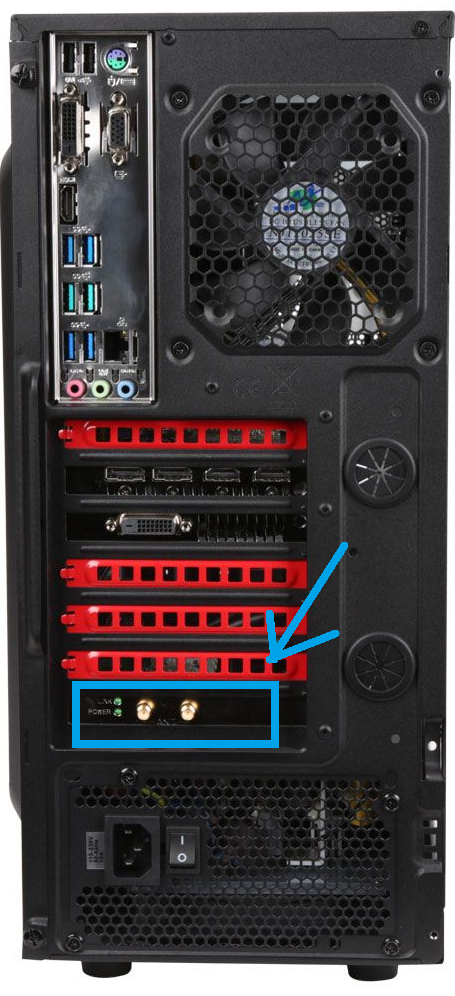

Simply attach both antennas by screwing them onto the ports on the back.
If this does not help, and you are still experiencing problems with your PowerSpec PC running Windows 10, we suggest to check out this article on fixing network connection issues in Windows 10.