


PowerSpec B766 Desktop Computer Intel Core Ultra 7 270K Plus 3.2GHz Processor Intel Core Ultra 7 270K Plus 3.2GHz Processor; 32GB DDR5-6000 RAM; 1TB Solid State Drive; Intel Graphics




B766 Desktop Computer Intel Core Ultra 7 270K Plus 3.2GHz Processor Intel Core Ultra 7 270K Plus 3.2GHz Processor; 32GB DDR5-6000 RAM; 1TB Solid State Drive; Intel Graphics
- Intel Core Ultra 7 270K Plus 3.2GHz Processor Intel Core Ultra 7 270K Plus 3.2GHz Processor
- 32GB DDR5-6000 RAM
- 1TB Solid State Drive
- Intel Graphics
- Microsoft Windows 11 Pro
- 10/100/1000 Network
- WiFi 7 802.11be
- Bluetooth 5.4
- 240mm AIO Cooler
The PowerSpec B766 is a versatile desktop PC designed for demanding productivity, multitasking, and everyday professional workloads. With modern processing hardware, fast memory, and high-speed storage, it delivers responsive performance while offering room for future upgrades, making it a practical choice for home offices, business users, and power users alike.
Modern Performance for Business and Productivity
The PowerSpec B766 is designed for professionals who need fast, responsive performance for demanding business tasks, multitasking, and everyday computing. Powered by the Intel Core Ultra 7 270K Plus and equipped with 32GB of DDR5 memory, the B766 handles large spreadsheets, business applications, software development environments, data analysis, and other productivity-focused tasks without slowing down. Running on Intel's Z890 platform with Windows 11 Pro preinstalled, it provides modern processing performance, built-in AI acceleration, and room for future expansion in a professional desktop form factor.
In practical use, the B766 is well suited for office productivity, software development, content management, business operations, and AI-assisted applications. It offers significantly more processing power than a typical office desktop while maintaining the reliability and connectivity expected in professional environments.
Intel Core Ultra 7 Processing for Professional Applications
The Intel Core Ultra 7 270K Plus features 24 cores built on Intel's Arrow Lake architecture, including 8 Performance cores reaching up to 5.4GHz and 16 Efficient cores reaching up to 4.7GHz. This hybrid architecture helps keep the system responsive across multitasking, large datasets, development environments, virtualization, and modern business software while running multiple applications and background processes simultaneously.
Intel AI Boost for AI-Assisted Productivity
The Intel Core Ultra 7 270K Plus includes Intel AI Boost, a dedicated Neural Processing Unit delivering up to 13 TOPS of AI compute at the CPU level. Designed to support AI-assisted productivity applications and Windows AI features, the NPU helps accelerate supported tasks while reducing demand on the CPU. It supports frameworks including OpenVINO, DirectML, ONNX RT, Windows ML, and WebNN, covering a growing range of AI-enabled software and productivity tools.
Z890 Platform with Expansion and Modern Connectivity
The B766 is built on an ASRock Z890-C motherboard, a Z890 platform designed for expandability and long-term flexibility. PCIe 5.0 support provides compatibility with high-performance expansion hardware, while a dedicated Gen5 M.2 slot supports future high-speed storage upgrades. Additional M.2 slots allow for expanded storage capacity as needs grow. Integrated WiFi 7 and Bluetooth 5.4 provide modern wireless connectivity, and multiple USB connections including front and rear USB Type-C ports support a wide range of peripherals and accessories.
Integrated Intel Graphics for Everyday Professional Use
Integrated Intel Graphics provide dependable display performance for professional applications without requiring a dedicated graphics card. Support for modern display standards, hardware-accelerated media encoding and decoding, and multiple display configurations is suitable for office productivity, video conferencing, presentations, and general business computing. This approach also helps reduce power consumption compared to systems with discrete graphics hardware.
32GB DDR5 Memory and Fast NVMe Storage
With 32GB of DDR5-6000 memory and a 1TB NVMe solid state drive, the B766 is configured for responsive multitasking and fast everyday performance. The memory capacity supports working across multiple applications simultaneously, while the NVMe SSD provides quick startup times, fast file access, and responsive application loading.
240mm AIO Cooling for Sustained Reliability
A 240mm all-in-one liquid cooler helps maintain stable operating temperatures during demanding tasks and long work sessions. Combined with the PowerSpec V100MT case, the cooling system is designed to support consistent performance under sustained use.
Windows 11 Pro and Included Accessories
Windows 11 Pro comes preinstalled, providing enhanced security features, business management tools, and support for professional environments. A Microsoft Office 365 trial is included along with a USB keyboard and optical mouse for a complete out-of-box setup.
Reliable Power and Built-In Support
An 850-watt power supply provides stable power delivery and leaves room for future expansion. The B766 is backed by a one-year limited warranty and a 48-hour turnaround service guarantee.
Built for Modern Business Computing
The PowerSpec B766 combines a 24-core Intel Core Ultra processor, built-in AI acceleration, fast DDR5 memory, and a Z890 platform into a desktop built for professional productivity. It is designed for users who need more performance than a traditional office PC can provide while maintaining the reliability, connectivity, and flexibility required in professional environments.
Product Information
General Information
2.5" Drive
Operating System
Case & Motherboard
Processor (CPU)
Neural Processor (NPU)
Memory (RAM)
Solid State Drive
Display
Graphics/Video
Audio
Communications
802.11b
802.11g
WiFi 5 (802.11ac)
WiFi 4 (802.11n)
WiFi 6 (802.11ax)
WiFi 6E (802.11ax)
WiFi 7 (802.11be)
Front/Top Panel Ports
1 x USB 3.2 (Gen 2x2 Type-C)
Back Panel Ports
2 x USB 3.2 (Gen 2x2 Type-C)
Expansion Bays
Expansion Slots
Keyboard
Mouse
Power
Physical Specifications
Package Contents
Warranty
Vendor Warranty:
- Parts: 1 Year Limited
- Labor: 1 Year Limited
Vendor Support:
- Main Website: https://powerspec.com/
- Support Website: https://powerspec.com/faq
- Support Phone #: 614-850-3670
Micro Center 15 Day Return Policy
We guarantee your satisfaction on every product we sell with a full refund - and you won't even need a receipt.* We want you to be satisfied with your Micro Center purchase. However, if you need help or need to return an item, we're here for you!
If an item you have purchased from us is not working as expected, please visit one of our in-store Knowledge Experts for free help, where they can solve your problem or even exchange the item for a product that better suits your needs.
If you need to return an item, simply bring it back to any Micro Center store for a full refund or exchange.
*If you are a Micro Center Insider or if you have provided us with validated contact information (name, address, email address), you won't even need your receipt.
Accelerate Your Returns with Micro Center's Online Return Check-in!
Desktop / Notebook Computers, Tablets, Processors, Motherboards, Digital Cameras, Projectors, Cell Phones, 3D Printers, 3D Scanners, drones, and specific Branded Game Simulator Accessories may be returned within 15 days of purchase. All other products may be returned within 30 days of purchase. Merchandise must be in new condition, with original carton/UPC, and all packaging/accessories/materials. If you need to return software, a game or a movie, remember that you may not retain any copies - it's not legal, and it's not nice.
VR headsets and Headphones (including AirPods, earbuds, and over-the-ear products) are only eligible for return if deemed defective.
Aerial Drones
Micro Center is happy to honor its customary 15-day return policy for Aerial Drone returns due to product defect or customer dissatisfaction.
Unfortunately, we cannot accept returns with damage due to pilot error. So let’s be careful out there!
As of December 21, 2015 all drones, regardless of purchase date, between 0.55 lb (8.82 oz, 250 g, 0.25 kg) and 55 lb take-off weight are required by the FAA to be registered for outdoor use. Details regarding registration can be found at: https://www.faa.gov/uas/getting_started/
Refunds will be credited to the credit card or debit card account used for the original purchase.
Micro Center Support:
Walk-in Tech Support
As a service to our customers, Micro Center offers in store technical support. Stop in any of our store locations during regular business hours, and our expert staff will answer your computer questions or help you with things like:
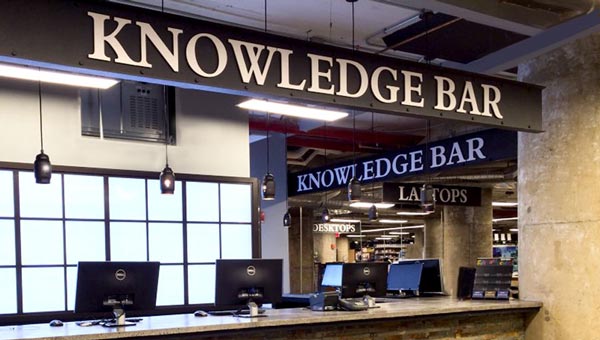
- Hardware troubleshooting
- Wireless and wired networking
- Software configuration
- Upgrades
- Tips and tricks
Support for Micro Center purchases
If you need help with products purchased from Micro Center, please contact one of our knowledgeable tech support reps using the online chat button below, or visit our Tech Support page for additional options and helpful information.
Chat with Tech Support

Tech Support Hours
- Monday - Friday 9 am to 12 midnight
- Saturday 10 am to 12 midnight
- Sunday 11 am to 9 pm
- Eastern Time
- * excluding posted holiday hours
Free assistance is available for the first 60 days on new purchases, excluding internal hardware installations or networking support. For new PowerSpec computers, this free assistance is extended to one year from the date of purchase. Your invoice reference number will be required for free assistance.
Ask your Support Technician about additional options available through our exclusive Priority Care Program.
Tech Support accepts the following credit cards: VISA; MasterCard; Discover
Support Resources
Vendor Warranty:
- Parts: 1 Year Limited
- Labor: 1 Year Limited
Vendor Support:
- Main Website:
https://powerspec.com/ - Support Website:
https://powerspec.com/faq - 614-850-3670
Micro Center Community
How To
- Video: How to Remove a Printer in Windows 11
- Video: How to Open an Onscreen Keyboard in Windows 11
- Video: How to Perform a Clean Boot in Windows 11
- Video: How to Run a System File Check in Windows 11
- Video: How To Change Audio Settings in Windows 11
- Video: How to Run a Check Disk Scan in Windows 11
- Video: How to Install a Secondary Drive in Windows 11
- Video: How to Reinstall Network Drivers in Windows 11
- Video: How to Change the Main Display in Windows 11
- Video: How to Adjust Display Scaling in Windows 11
- Video: How to Change App Mode Color in Windows 11
- Video: How to Clean Install Video Drivers in Windows 11

PowerSpec B766 Desktop Computer Intel Core Ultra 7 270K Plus 3.2GHz Processor Intel Core Ultra 7 270K Plus 3.2GHz Processor; 32GB DDR5-6000 RAM; 1TB Solid State Drive; Intel Graphics
SOLD OUT at Denver Store