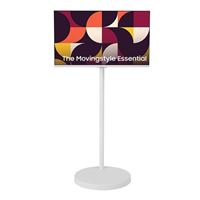

Samsung Movingstyle M7: The Monitor that Goes Where You Do

If you’re the office manager bouncing from meeting to meeting, constantly frustrated that their laptop isn’t connecting to the TV in conference room 72B, the Samsung Movingstyle M7 might be exactly what you need.
 Photo: Samsung
The big twist of this monitor is that it comes with an incredibly long, adjustable mount (up to 50”) and wheels on the base. While these features may seem odd -- most monitors are designed to be stable and sit in one place, after all -- if you’re spending most of your day fighting to get connected to conference rooms or just need something to move around with you at home, an easy-to-connect-to, carry-along monitor can make your day a lot easier.
Samsung Movingstyle S7 Features
While the big draw for the S7 is undeniably the mobility of the monitor, it’s far from the only feature. The screen alone is a fairly large 32” 4K VA panel, so anything displayed at a meeting is sure to look striking and crisp (rather than blurry and washed out in front of the CEO). As for connections, it has two HDMI 2.0 ports, three USB 2.0 ports, and a USB-C 3.2 port that can also be used for video. It also features built-in 10W speakers, no need to bring an extra set.
The mount is just as flexible as it is tall.. Not only can it be adjusted for a variety of heights, but the monitor can also be rotated to a vertical position, tilted up or down for a better viewing angle, or even swiveled to easily show data without making your meeting invitees strain their necks.
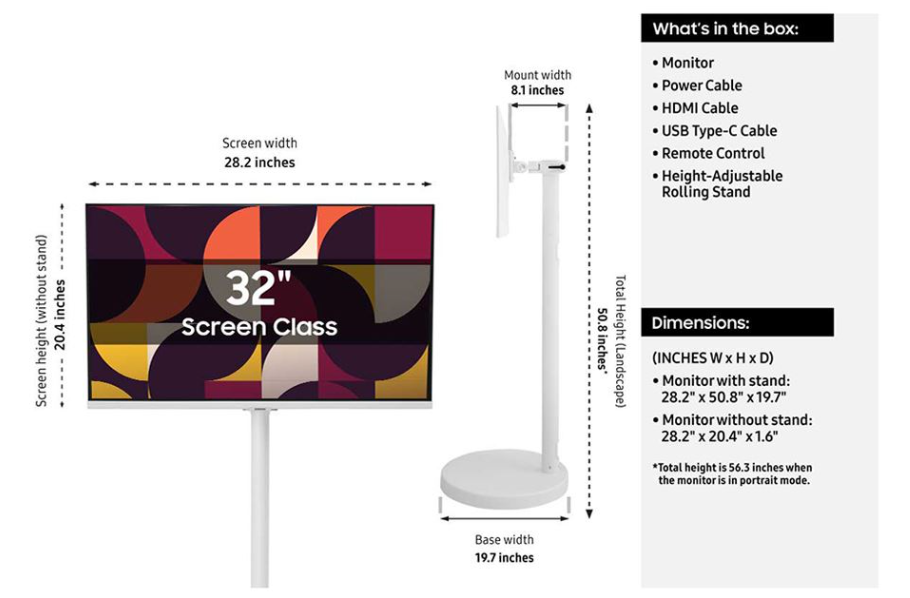 Photo: Samsung
When not being used for meetings and presentations, the S7 can also be used as a smart screen. Power off and disconnect the work laptop and launch into streaming services like Netflix or Samsung TV Plus for live TV channels.
At home, it can be a massive boon for anyone who regularly moves from room to room, phone in hand. Quickly go from watching yoga videos in the home gym to learning how to prepare a new meal in the kitchen, just by rolling the monitor along with you and plugging it in.
My one caveat is that this is almost exclusively a productivity or general use monitor; If you’re thinking about gaming on it I’d recommend a more gaming-focused monitor. The 60Hz refresh rate limits its gaming potential and, while it might work for low-stakes, definitely-not-at-work games like Balatro, there are better options for gaming monitors in the same price range.
The Samsung Movingstyle S7 is a specialized, niche monitor that could very easily make your day that much easier. Whether you’re a busy office worker running between meetings or a stay-at-home parent, trying to get it all done in one day, the S7 is ready to move with you.
Of course, it is just one of the many, many monitor offerings at your local Micro Center. If you’re not sure if the Movingstyle is right for your needs, stop by. Our knowledgeable associates will be sure to help you find the monitor that works best for you.
More from MC News
- The Complete Guide to Essential Browser Settings
- Complete Guide to Windows 11 Disk Management
- Run AI Locally: The Best LLMs for 8GB, 16GB, 32GB Memory and Beyond
- How to Build a PC with a Hardline Water-Cooling Loop
- 3D Print a Mac Mini Monitor Mount
- Keyboard 101: Intro to Computer Keyboards
Sean Mekinda is the editor for Micro Center News, with three years of experience on The Micro Center Community and writing credits across the internet, including Polygon, 25YL, and 614 Magazine. He's been writing about and reviewing tech for over five years.