
Razer Sees AI Everywhere at CES 2026

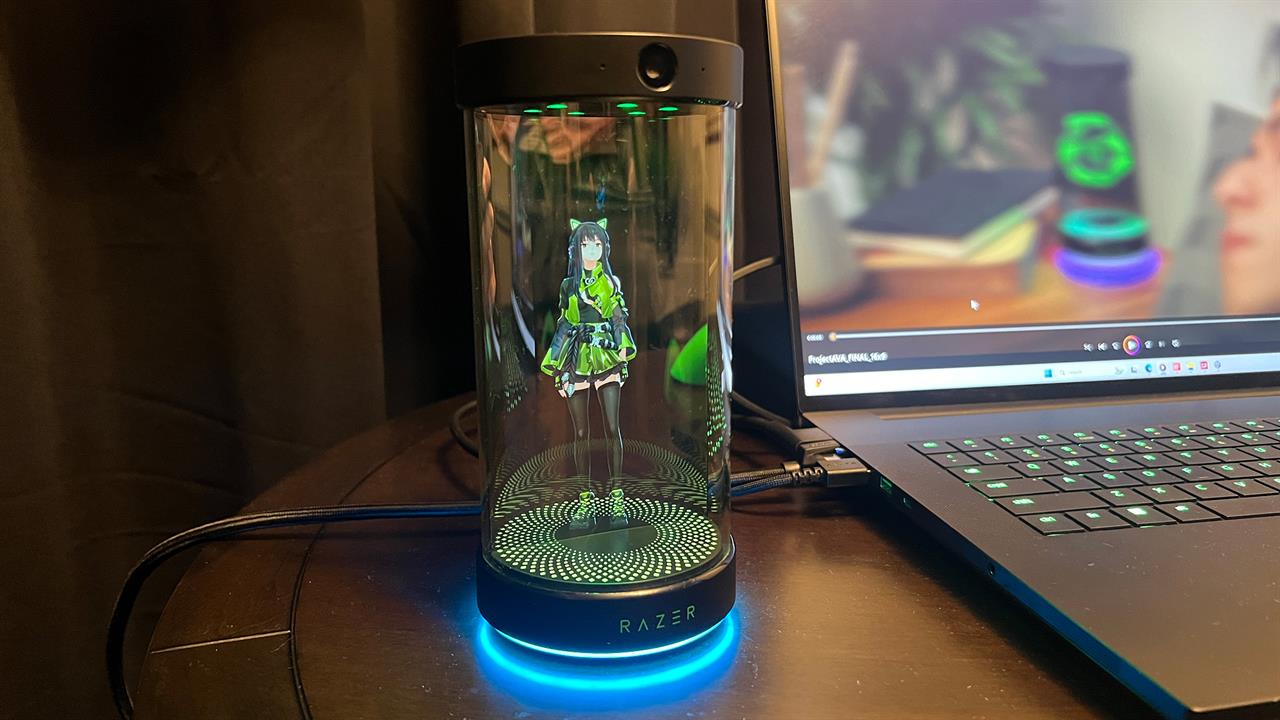 Photo: Dan Ackerman
One of the big highlights at CES for me is always the inventive concept pieces and prototypes Razer brings to the show. This year, the company has made some bold moves highlighting the many different ways AI can be integrated into gaming, work, and life.
Project Ava
Razer showed off an early version of Project Ava last year as an software AI companion for gaming. This year, Ava has leapt out of the PC and into a desktop accessory, as a holographic-like avatar that lives in a small cylindrical display on your desk.
The demo we saw featured two different Ava avatars we controlled through voice commands, even in the middle of a crowded, noisy demo room. The desktop appliance has a camera built in for computer vision, and it connects via USB-C to your PC. The AI underlying Ava itself is user-configurable, so you could use your favorite. Think of it as a gamer-friendly front-end to an AI personal assistant. As it's running on your PC, it can also share what's on your screen -- for example, we asked for loadout advice based on the weapons we had unlocked for a Battlefield 6 match.
The visuals of Ava in its desktop hardware were fun, and a little bit of low-tech sleight of hand. Like a magician's prop, you're seeing a display reflected off a mirrored surface, creating the illusion of an almost holographic-like 3D avatar.
There's no price or release date yet, but we may see Project Ava later in 2026, and pre-orders should start soon.
Project Motoko
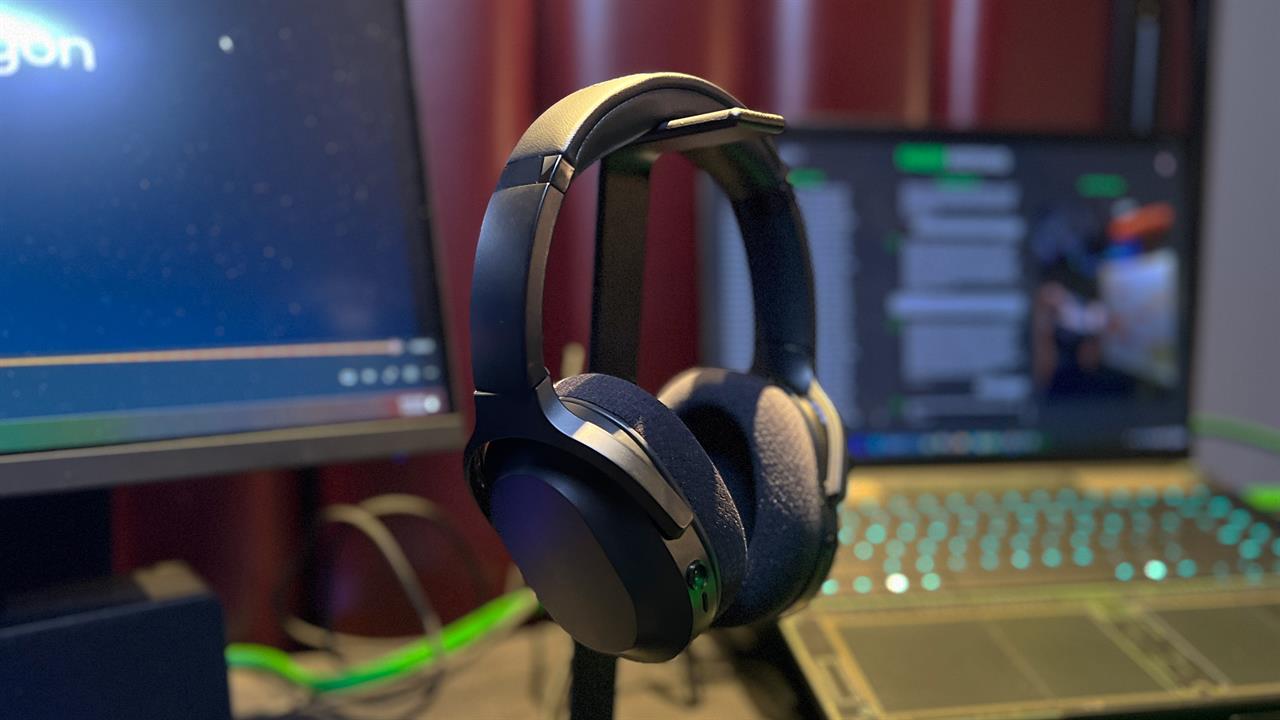
Although presented as a concept piece, I'm told Motoko could very well release by the end of this year. It's a new contender in the wearable AI market, built into a set of Razer headphones. It has a built-in Qualcomm Snapdragon chip for on-device processing, but also connects to your phone for additional processing as needed.
Even though these are audio headphones, they have built-in dual cameras for computer vision, and Motoko can do live translations, make suggestions based on what it sees, etc. Think of it as an evolution beyond the basic AI and camera abilities found in current-gen smart glasses, with the better audio and longer battery life you get from a gaming headset. Like Project Ava, it can be configured to run different AI models.
Razer Forge AI Workstation
Razer sees the value in local AI running on powerful hardware, so the company plans to build custom workstations for high-end AI development. This is a bespoke, high-performance rack-mountable system that supports up to four NVIDIA Pro-level GPUs (or the AMD equivalents) and Threadripper/Xeon processors. It's configurable with up to a 2,000W power supply and multiple units can be linked together in a rack. This isn't something you'll be able to buy off the shelf, it'll be custom configured and built for individual clients.
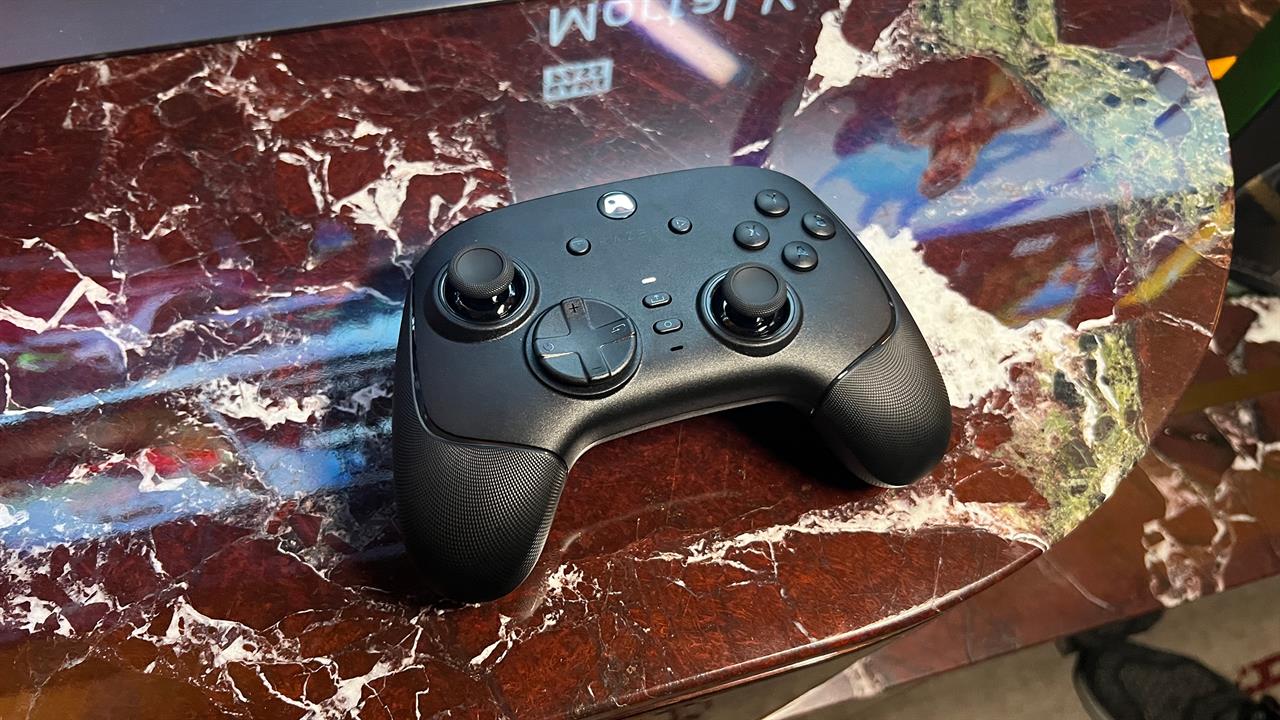
Razer Wolverine V3 Bluetooth
This is a pro-grade controller, but one specifically optimized for cloud gaming and smart TVs, specifically 2025 and newer LG TVs. It uses Ultra Low Latency (ULL) Bluetooth to cut the latency to potentially under 2ms. Using the LG gaming app, the controller can easily access game services like Xbox Cloud Gaming for Game Pass members and NVIDIA's GeForce Now. It also handles some TV functions, including volume, input, and power.
In our hands-on demo session, the controller worked well with Game Pass games on an LG TV, and most notably, felt incredibly light in the hand.
If you don't have an Ultra Low Latency Bluetooth TV (right now only LG does), it functions as a standard Bluetooth controller, and works anywhere, from PCs to consoles to devices like the Steam Deck. But as ULL BT becomes more popular, the Wolverine V3 should get the same advantages. Expect it later this year, for just slightly more than the price of a standard first-party Xbox controller.
Read more: Stay up to date with everything we've seen at CES 2026
More from MC News
- Run AI Locally: The Best LLMs for 8GB, 16GB, 32GB Memory and Beyond
- Quantization Explained: Why the Same LLM Gives Better Results on High-End Hardware
- Why VRAM and Memory Bandwidth are Key for Powering Local AI
- Hands-on with NVIDIA DGX Spark: Everything You Need to Know
Dan Ackerman is the Editor-in-Chief of Micro Center News. A veteran technology journalist with nearly 20 years of hands-on experience testing and reviewing the latest consumer tech, he previously served as Editor-in-Chief of Gizmodo and Editorial Director at CNET. He is also the author of The Tetris Effect, the critically acclaimed Cold War history of the world's most influential video game. Contact Dan at dackerman at microcenter.com.