
Buying Guide: A Quick Hands-On with Five Redragon Keyboards

A little over four years ago I got to try out my first Redragon keyboard, the Devarajas, and I was immediately taken with the brand. I’ve recommended the Devarajas to friends and coworkers alike as a solid, budget-conscious choice for mechanical keyboards.
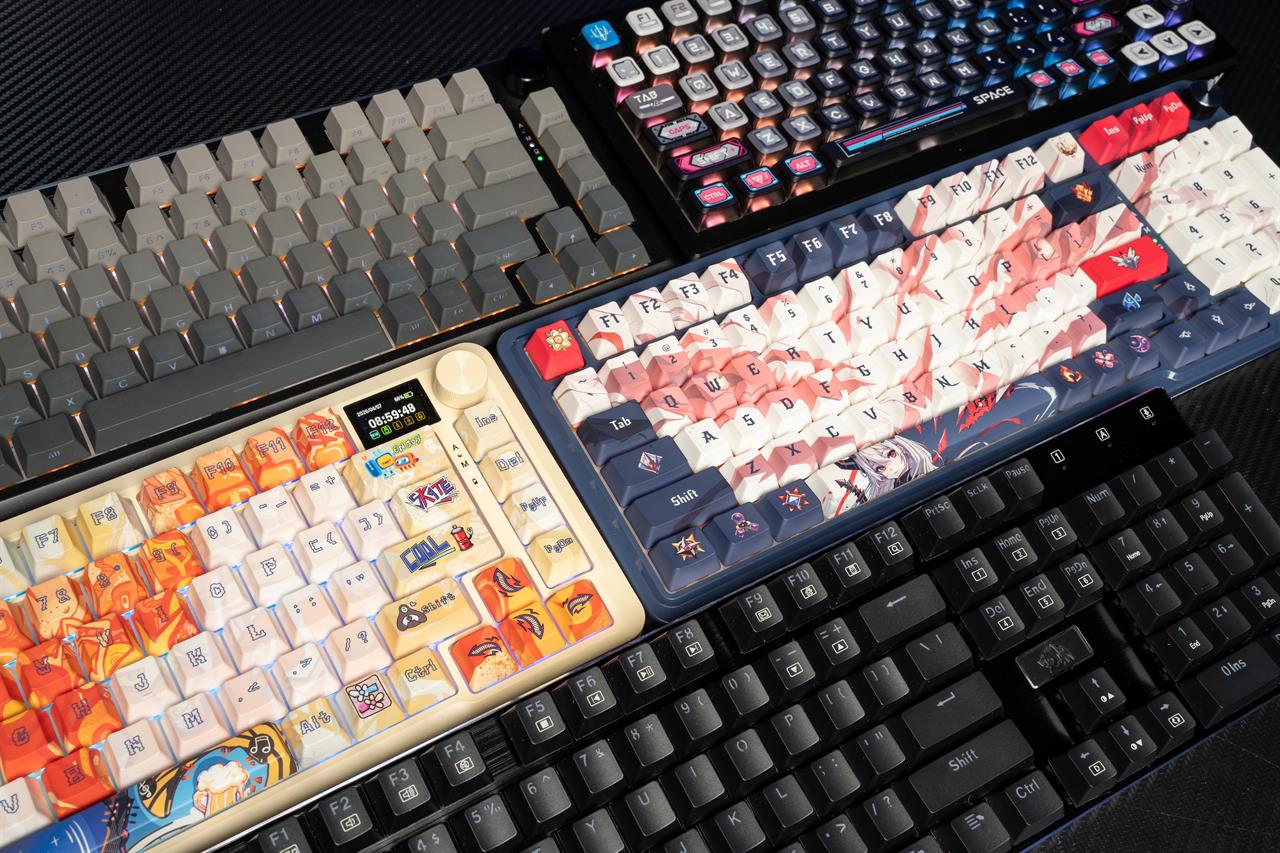 Photo: Jacob Bobo
Jump forward to today and the Redragon offerings at Micro Center have only continued to grow. As the resident keyboard head, I’m going to cover five of their keyboards today, including revisiting that Devarajas, but Redragon doesn’t just offer keyboards. They also have mice, mouse pads and mats, and even mics, headsets, and streaming accessories galore.
Watch this article
If you're looking for some extra audio/visual to go with your keyboard hands-on, check out the video version of this article. All the same words, but you can hear how each keyboard sounds!
Devarajas
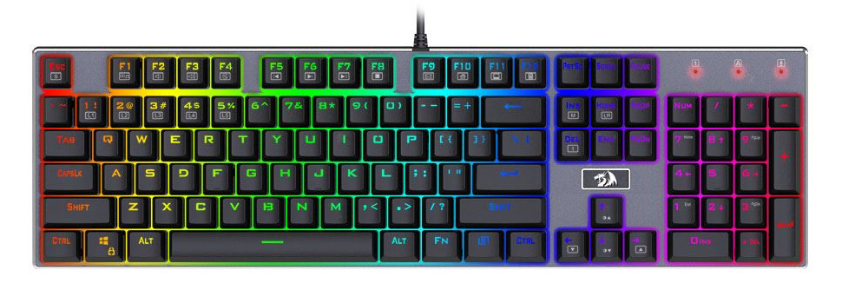
If you’ve ever been curious about mechanical keyboards and want to try one out -- well, first of all, stop by your Local Micro Center and check out our keyboard aisle where you can get your hands on a wide selection without spending a cent -- but specifically I highly recommend checking out the Devarajas.
At an MSRP of only $49.99, the Devarajas is undeniably a budget-conscious choice. However, it is one that I am thrilled to recommend to folks. It’s a full-size keyboard, which means all the usual keys are included, including the number pad and function keys, and it's built on a sturdy brushed aluminum frame with very little board flex. It also features mechanical brown switches, my recommendation for any new mechanical keyboard users, as they offer that tactility people love from mechanical keyboards without the loud associated “click” that can drive friends, family, and coworkers crazy.
And, don’t worry, if you’re looking for RGB, the Devarajas has fully customizable per-key lighting.
K686AK-RGB-PRO (Eisa)
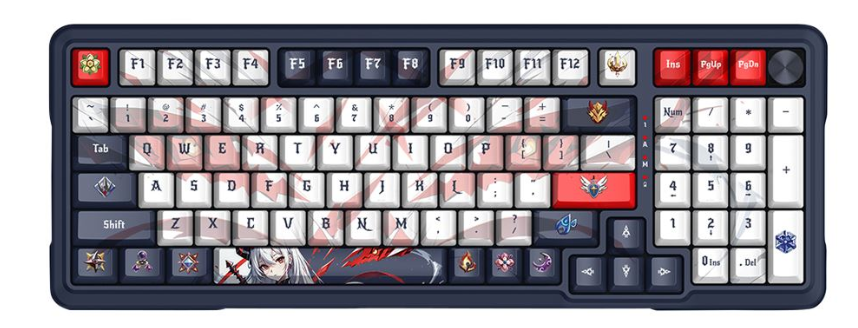
A step up from the Devarajas is the K686AK, or Eisa. The K686AK is a slightly smaller keyboard, with only 98 keys (some of the navigation keys have been removed, but the arrow keys remain). It still includes a multimedia knob for volume and backlight adjustments, and multiple ways to connect, including Bluetooth, a 2.4Ghz dongle, and wired. It also offers a bit more style, with a blue gasket-mounted base and fully custom keycaps.
Like the Devarajas, it also features per-key RGB, but the K686AK takes that customizability a step further with hot-swappable switches. While the K686AK comes with custom hi-fi linear switches, if you’re looking for something with a bit more of that iconic ‘click,’ swapping to a tactile switch is incredibly easy.
I do want to call out the sound of this keyboard, though. Thanks to the dye-sub PBT keycaps, and three sound dampening pads, typing on the K686AK is incredibly satisfying. The keycaps bottom out with a light, satisfying clack, just loud enough to hear but not loud enough to bother deskmates.
Flekact
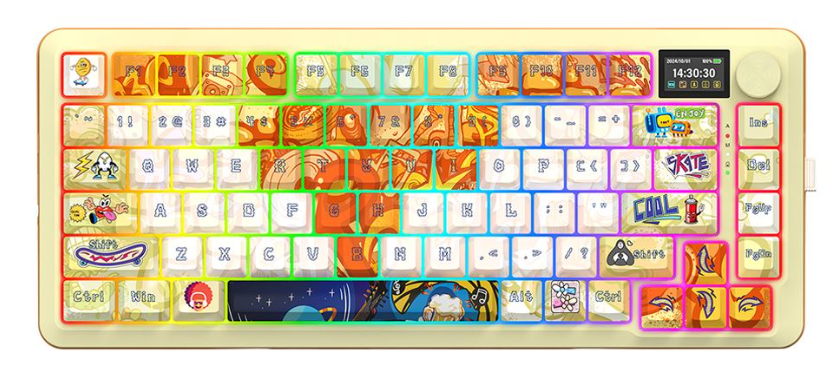
The Redragon Flekact is a beast of its own. While it borrows a lot from the K686AK, like a more compact size, media knob, and wireless connection options, there’s a key feature you can’t find on any of the other keyboards I’ll be talking about today: an LCD screen.
Starting with the basics, the Flekact I’ve been working with is decorated to the tens with a vibrant color and artistic keycaps, but a more standard, all-black model is also available. It’s got the fewest keys yet, removing the numberpad and some navigation keys for a compact, 75% design. It can connect via wired connection, Bluetooth, or 2.4GHz via an included dongle. And, of course, it features customizable RGB and hot-swappable switches.
But, as I teased, it also features a fully-customizable LCD screen. While the Flekact comes preloaded with a number of features for the LCD screen, like connection modes, lighting effects, keyboard status, and more, it can also be fully customized with your own art, up to 70MB, including gifs. Even if someone manages to copy your exact base, keycaps, and switches, you can stay unique with your own images for the LCD screen.
Penumbra K687
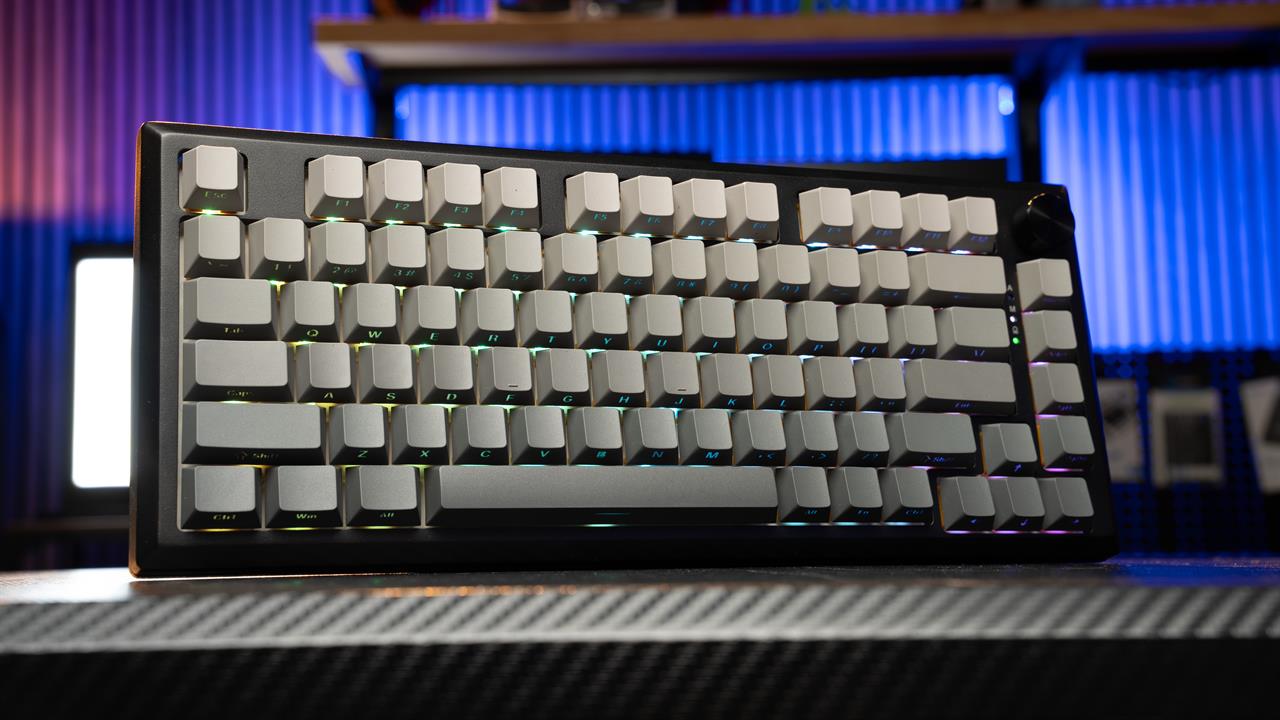 Photo: Jacob Bobo
When I look at the Penumbra, I see a classy, minimalist keyboard that works wonders whether you’re a gamer or a productivity user. While the Penumbra does, unsurprisingly, feature per-key RGB, it does so in an understated way. Letters and other key indicators, like “tab” or “enter” are on the front of the key caps, rather than the usual placement of the top. This gives it an incredibly professional vibe, thanks in no small part to its chic black-and-gray-gradient.
Under the hood, the Penumbra uses Lion L linear switches for smooth, bump-less typing (though switches are hot swappable for this keyboard as well, so customize away). It can connect via wired connection, bluetooth, and 2.4Ghz dongle, and comes with that fancy media dial.
It’s also a heavy duty keyboard. The base is a full aluminum alloy, and it shows. I can get absolutely zero board flex, even trying my hardest, and it’s got the heft to back it up. No matter how furious a typer you are, I think you’d be hard pressed to move this big guy.
It has a little bit of a lighter sound when typing on it, thanks, I’m sure, to the five layers of sound dampening. If you’re looking for something heavy duty that won’t disturb people around you, check this one out.
Uranus Pro 82
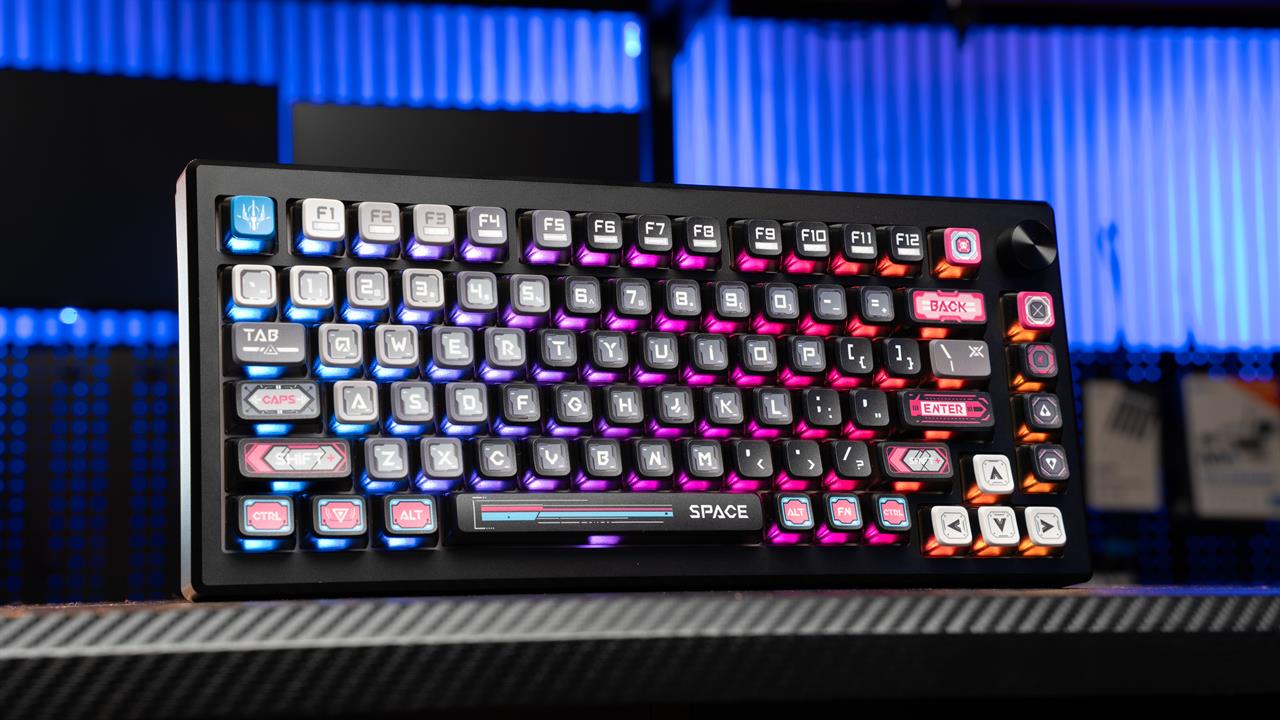 Photo: Jacob Bobo
Rounding us out today we have the Uranus Pro 82, a gorgeous, heavy-duty keyboard that eschews subtly for maximalism. I can echo most of my thoughts about the Penumbra -- heavy duty, no deck flex, 75% size, 2.4Ghz dongle, Bluetooth, RGB, media dial -- but the Uranus is still its own, unique keyboard.
Immediately, it’s clear that style was important when designing the Uranus. A lot of effort went into the keycaps, with their unique, futuristic fonts and patterned backgrounds. Turn the Uranus on, however, and RGB immediately shines those ostensibly black keycaps. It might not look it at first glance, but every single keycap is shine-through, meaning RGB lighting will pass right through, giving the keys the illusion of floating.
Under those keycaps are linear Redragon WUKONG switches. Like the Penumbra, the Uranus also features five layers of sound dampening. Typing is quiet, smooth, and a treat. If you want some style to go with your excellent keyboard, check out the Uranus Pro 82.
We've just scratched the surface of what Redragon has to offer. That includes a wide selection of budget-conscious accessories for every use case, whether you’re working, gaming, or streaming. If you’re ready to check out everything Redragon has to offer, or just see some cool keyboards, stop by your local Micro Center. Our knowledgeable associates will be happy to make sure you get the perfect product for your needs.
Check out more keyboards on Micro Center News:
- Keyboard 101: Intro to Computer Keyboards and How to Pick the Right One
- Buying Guide: The Yunzii C75 is an Adorable Mechanical Keyboard that Doesn't Sacrifice Quality
- Buying Guide: The Keychron V1 Ultra 8K is a Solid Mid-Range Mechanical Keyboard for Work and Gaming
- RiiTek Keyboard Buying Guide: Finding the Right Fit for Your Setup
- Buying Guide: MonsGeek M1 V5 Takes Both Mechanical and Magnetic Switches