
Hands-on with the New MacBook Neo
The new system caps off a big week for Apple, where MacBook Air and MacBook Pro both got upgrades, as did Studio Displays.News

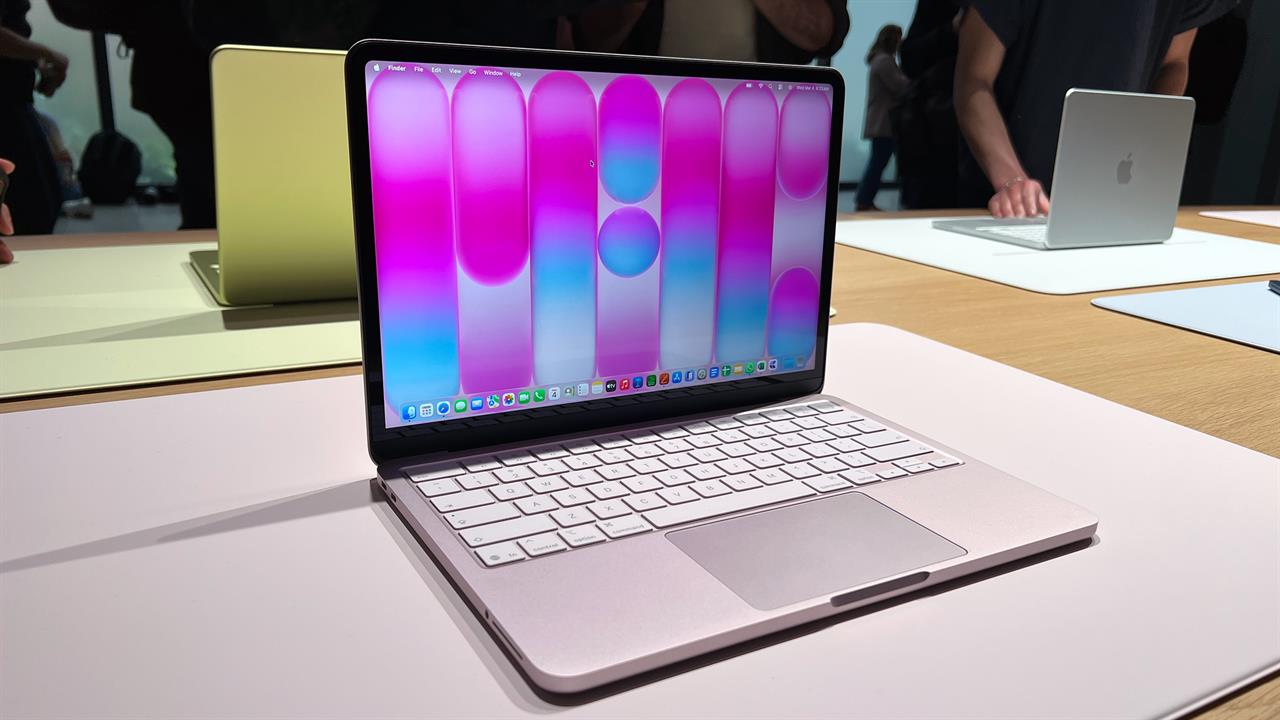 Photo: Dan Ackerman
It's a big week for new Macs, with a new MacBook Neo joining the Apple laptop lineup. The new laptop, available in a fun range of new colors, is the least-expensive MacBook by a wide margin, starting at $599.
Earlier this week, Apple also announced that the M5 chip is making its way to the MacBook Air, and new M5 Pro and M5 Max chips are coming to the MacBook Pro.
Meet the Neo
The MacBook Neo represents an interesting blend for Apple, taking the A18 Pro chip found in devices like the iPhone 16 Pro, and putting it in a 13-inch laptop chassis. The system runs MacOS, just like its more expensive cousins, and at first glance looks a lot like a 13-inch MacBook Air.
The biggest tell that this is something new is the color options, which include a pinkish blush, indigo, silver, and a bright yellow called citrus. In my hands-on demo sessions with the new MacBook Neo, I noticed everyone gravitating towards the blush and citrus models. The keyboards for each version are subtly color-matched to the chassis as well.
Apple says you'll get up to 16 hours of battery life from the system, and it includes a 1080p FaceTime HD camera with dual mics, and dual side-firing speakers with Spatial Audio. Connectivity comes from a pair of USB-C ports (one USB 2.0, one USB 3.0). It supports WiFi 6E and Bluetooth 6.
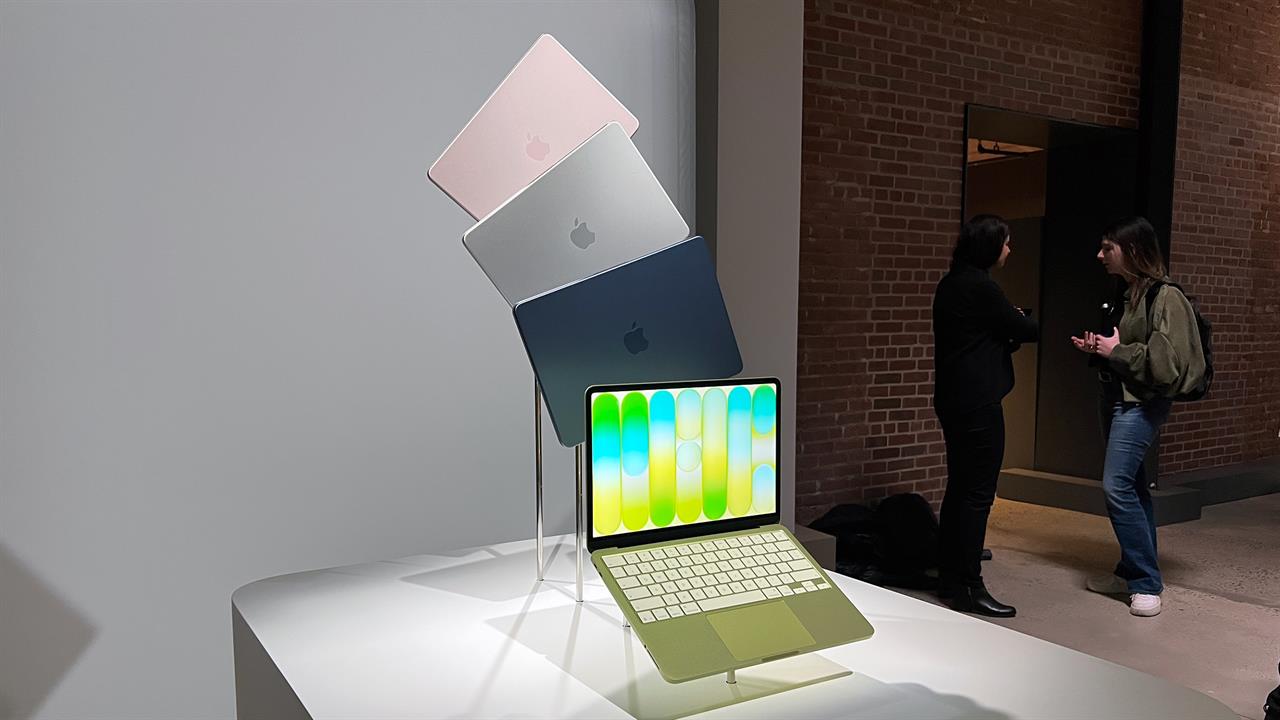
Photo: Dan Ackerman
The 13-inch screen is a Liquid Retina display at 2,408x1,506 resolution, offering 500 nits of brightness, and looked great, even under the bright lights of Apple's event space. The multi-touch touchpad is perhaps the biggest break from current MacBook designs, with a traditional physical click mechanism instead of a haptic touchpad.
Both the $599 base model and the $699 step-up model have 8GB of unified memory, while the more expensive version jumps the storage from 256GB to 512GB and adds a TouchID fingerprint reader built into the keyboard as well.
The MacBook Neo will be available later in March.
M5 Pro and M5 Max come to MacBook Pro
While the base M5 chip has been out since late last year, Apple is now unleashing the high-performance M5 Pro and M5 Max chips, designed for demanding professional workloads. These chips utilize a Fusion Architecture that bridges two dies into a single, high-bandwidth system on a chip. The top-tier M5 Max features an 18-core CPU and a 40-core GPU, plus the inclusion of dedicated Neural Accelerators within every GPU core.
This allows the Pro lineup to deliver up to four times the AI performance of the previous generation, making it a powerhouse for local LLMs and complex generative workflows. Storage speed has also been boosted, and Apple says it can reach 14.5GB/s, which is up to 2x faster than the previous generation.
These new M5 chips are coming to both the 14-inch and 16-inch MacBook Pro. “MacBook Pro with M5 Pro and M5 Max redefines what’s possible on a pro laptop” said John Ternus, Apple’s senior vice president of Hardware Engineering. “Combined with even faster unified memory and storage, it empowers users to take their work even further, unleashing new possibilities and pushing the boundaries of what they can do.”
MacBook Air joins the M5 generation
The MacBook Air — Which I've often called one of the most universally useful laptops you can buy — has made the transition to the M5 chip. While the thin-and-light chassis remains the same, the internals have been overhauled to align with the rest of the M5 family. This move effectively retires the 256GB base model, as all new MacBook Airs now start with a more practical 512GB of storage. Beyond the chip's native speed, the Air includes Apple’s custom N1 networking silicon, which supports Wi-Fi 7 and Bluetooth 6 support.
Two new Studio Displays
There's also a pair of new Apple monitors, the updated Studio Display and new Studio Display XDR. The standard Studio Display retains its 27-inch 5K Retina resolution while upgrading to a 12MP Center Stage camera, a six-speaker sound system with Spatial Audio, and it now supports Thunderbolt 5 connections. Both can use their Thunderbolt 5 ports for power delivery, with up to 140W coming from the XDR display.
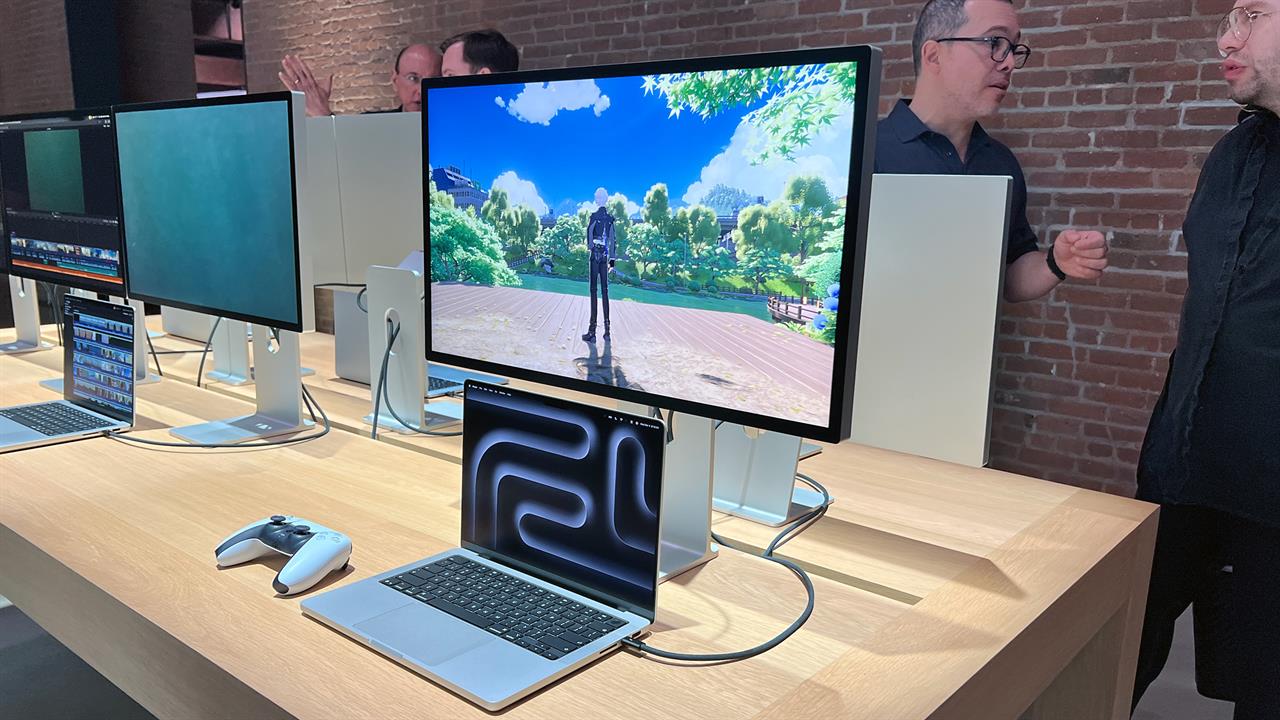
Photo: Dan Ackerman
But more exciting is the Studio Display XDR, which effectively replaces the classic Pro Display XDR. That display has a mini-LED backlight with 2,304 local dimming zones packed into a 27-inch 5K panel, with 2,000 nits of peak HDR brightness and a 120Hz refresh rate.
Apple's new hardware is coming to your local Micro Center, so swing by your nearest store to check these products out in person.
More from MC News
- How to Start Benchmarking LLMs on your PC
- Explaining NVIDIA NVFP4, the DGX Spark's Secret Weapon
- Run AI Locally: The Best LLMs for 8GB, 16GB, 32GB Memory and Beyond
- Quantization Explained: Why the Same LLM Gives Better Results on High-End Hardware
- Why VRAM and Memory Bandwidth are Key for Powering Local AI
- Keyboard 101: Intro to Computer Keyboards
- Fix It Yourself: Talking to iFixit on Why Repairable Tech Matters
- Hands-on with NVIDIA DGX Spark: Everything You Need to Know
Micro Center Editor-in-Chief Dan Ackerman is a veteran technology journalist who's been testing and reviewing the latest tech for over 20 years. He previously served as Editor-in-Chief of Gizmodo and Editorial Director at CNET. Dan is also the author of the New York Times-reviewed The Tetris Effect, a critically acclaimed Cold War history of the world's most influential video game. Reach him at dackerman at microcenter.com.