

Desktops
Buying a desktop computer has never been easier at Micro Center. From gaming, all-in-ones, or workstations and servers, we have a large selection of desktops that will be right for you. Shop online or visit one of our stores nationwide!
Desktops
Buying a desktop computer has never been easier at Micro Center. From gaming, all-in-ones, or workstations and servers, we have a large selection of desktops that will be right for you. Shop online or visit one of our stores nationwide!











Commonly Searched Categories
Open Box DesktopsTop Rated DesktopsDesktops Under $500Prebuilt Gaming PCShop by Processor: Intel Desktops
Intel® Core™ i9
The top-of-the-line processor, Intel® Core™ i9 desktops are designed for those who are looking for the highest performance.
Intel® Core™ i7
Intel® Core™ i7 Desktops are powerful and ready for intense gaming, modeling, and rendering.
Intel® Core™ i5
Whether gaming or working, an Intel® Core™ i5 desktop delivers the performance you need.
Intel® Core™ i3
Intel® Core™ i3 desktops are perfect for everyday browsing and streaming.
Shop by Processor: AMD Desktops

AMD Ryzen™ AI
Desktops powered by AMD Ryzen™ AI processors for faster workflows, smarter productivity, and built-in on-device AI.
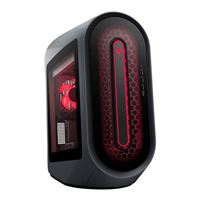
AMD Ryzen™ 9
If you’re looking for the most power, for gaming or work, in your desktop, the AMD Ryzen™ 9 processor delivers.
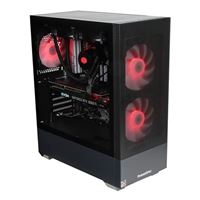
AMD Ryzen™ 7
The AMD Ryzen™ 7 desktops are designed for modern AAA gaming and high-powered work.
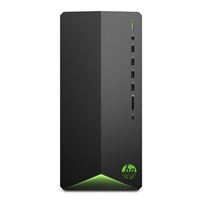
AMD Ryzen™ 5
AMD Ryzen™ 5 desktops are built with light gaming and daily work in mind.
PRIORITY CARE+










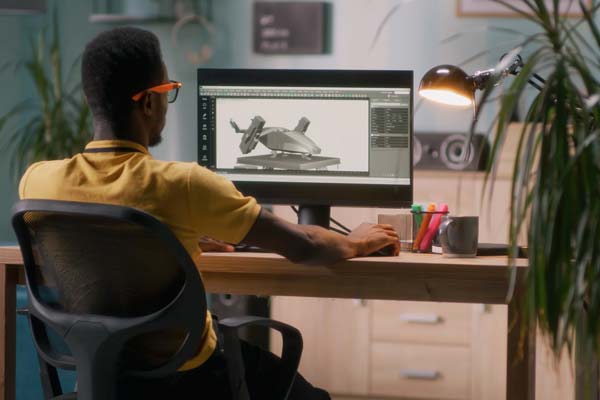
Best Selling Pro Desktops


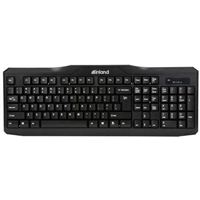
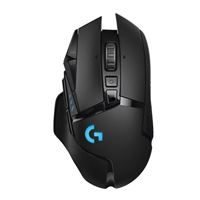
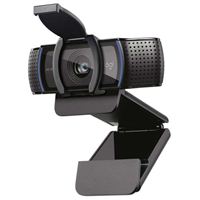
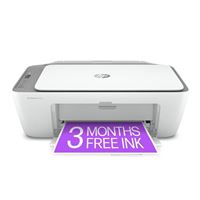
Desktop Accessories

Best Selling Gaming Desktops



Best Desktop Computers for Every Use Case
Desktop computers offer more performance headroom, upgrade flexibility, and long-term value, making them a strong choice for users who prioritize performance, expandability, and dedicated setups. The best desktop option depends on how you plan to use it. Some desktop PCs are built for gaming and graphics-heavy tasks, while others make more sense for work, compact spaces, or budget-conscious shopping.
Micro Center carries some of the best desktops across those categories, with desktop computers for sale for gaming, business, home use, and more. Once you know your main use case, it becomes much easier to compare processing power, graphics, storage, form factor, and price.
What to Look for When Buying a Desktop Computer
Choosing a desktop computer gets easier when you focus on the core components that shape speed, flexibility, and long-term value. Processor, memory, storage, graphics, and expandability all play a role in how a system runs and how well it fits your setup.
Processor (CPU)
The processor handles the main tasks your desktop computer performs. If you mostly browse the web, stream content, manage email, and work in everyday apps, an entry-level or midrange processor should be enough. If you game, edit video, run design software, or multitask heavily, a faster processor gives you more room to work smoothly.
Memory (RAM)
RAM affects how well your desktop handles multiple programs, browser tabs, and larger tasks at once. For basic use, 8GB is enough to get started. For work, multitasking, gaming, and more demanding software, 16GB is typically a better fit. Higher amounts make more sense for advanced creative, technical, or workstation-style use.
Storage
Storage affects both speed and capacity. Solid-state drives help desktop PCs boot faster, load files more quickly, and feel more responsive overall. If you plan to store large game libraries, media collections, or work files, pay close attention to how much storage you need in addition to how fast it is.
Graphics
Graphics hardware matters most when your desktop will be used for gaming, content creation, 3D work, or other visually demanding tasks. Integrated graphics are enough for general use, while dedicated graphics are the better fit for shoppers who need stronger visual output.
Form Factor and Expandability
Desktop computers come in several form factors, from traditional towers to all-in-one systems and smaller mini PCs. If you want more room for upgrades, expansion cards, or storage changes over time, a tower desktop would be the better choice. If space-saving design matters more, a compact desktop would make more sense.
Business and Workstation Desktop Computers for Professional Performance
Business and workstation desktop computers are designed for shoppers who need dependable power for office work, professional software, multitasking, and more demanding day-to-day tasks. Depending on your needs, that can mean anything from a reliable productivity system to a more advanced desktop built for heavier applications.
- Built for Multitasking: More memory and faster processors help when you keep multiple programs, files, and browser tabs open at once.
- Better for Demanding Software: Some systems are better suited to editing, design, engineering, and other professional workflows.
- Designed for Longer-Term Use: Desktop form factors can make it easier to plan for future upgrades and changes.
- Available Across Performance Levels: There are options for standard office needs as well as more advanced workstation tasks.
If your desktop will be used mainly for productivity and professional applications, this is one of the most important categories to compare, especially when choosing a workstation computer.
Gaming Desktop Computers Built for High Performance
Gaming desktop computers are built for shoppers who want stronger graphics, faster processors, and more headroom for demanding games and other intensive tasks. Desktop gaming systems also allow for better thermal performance and upgrade flexibility compared to smaller form factors.
- Dedicated Graphics: Desktop gaming systems use dedicated GPUs to handle modern games and visually demanding workloads more effectively.
- More Power for Demanding Use: Higher-performance processors and increased memory capacity help support smoother gameplay and heavier multitasking.
- Stronger Cooling and Component Choices: Desktop designs often allow for more hardware flexibility and better thermal support than smaller systems.
- Upgrade-Friendly Design: Many gaming desktop computers are easier to update over time with new components and added storage.
If gaming is a priority, start by comparing gaming desktop computers.
All-In-One and Mini Desktop Computers for Compact Setups
All-in-one and mini desktop computers are a good fit for shoppers who want a more compact setup without a traditional tower. These systems prioritize space-saving design and simplicity over expandability and upgrade flexibility. They can work well in home offices, shared workspaces, dorm rooms, and other areas where saving space matters.
- Smaller Overall Footprint: These systems help reduce desk clutter and make better use of limited space.
- Simpler Setup: All-in-one desktop computers combine the main components and display in one design, while mini desktops can fit more easily into tighter work areas.
- Good for Everyday Productivity: They can be a smart fit for browsing, office tasks, streaming, communication, and general home use.
- A Cleaner Look: Compact designs can make sense for shoppers who want a more streamlined setup.
If space, simplicity, and a cleaner desk setup matter most, this category is worth a closer look.
Refurbished Desktop Computers for Value and Savings
Refurbished desktop computers are a practical option for shoppers who want to spend less while still getting a capable system for work, school, or everyday use. They are worth considering if value is a priority or if you need a secondary desktop for backup, shared use, or lighter tasks.
- Lower Upfront Cost: Refurbished systems can help stretch your budget further.
- Useful for Common Tasks: They can work well for browsing, schoolwork, office tasks, and general computing.
- Good as Secondary Systems: A refurbished desktop can make sense for home offices, shared spaces, or backup use.
- More Ways to Compare Value: This category offers shoppers greater flexibility when comparing prices and features.
If savings matter as much as capability, refurbished desktops are worth including in your comparison.
Desktop Computer FAQs
What is the difference between a desktop computer and a laptop?
Desktop computers are designed for stationary setups and typically offer more performance headroom, upgrade flexibility, and long-term value, while laptops prioritize portability and all-in-one convenience. Desktop computers are typically chosen for performance and upgradeability, while smaller systems prioritize space-saving design and simplicity.
How much RAM do you need for a desktop computer?
For basic use, 8GB can be enough to get started. For multitasking, gaming, and most everyday workloads, 16GB is a more reliable baseline. Higher amounts are better suited for advanced creative, technical, or workstation-level tasks.
Are desktop computers better for gaming?
Desktop computers are often preferred for gaming because they support more powerful graphics hardware, better cooling, and easier upgrades over time compared to smaller form factors.
Complete Your Desktop Setup with Add-Ons and Upgrades
The right desktop setup often includes more than the computer itself. Depending on how you plan to use your system, you may also want to compare accessories, storage upgrades, installation support, and bundle offers that help you get more from your purchase.
If you already know what you want, you can choose a prebuilt system, plan for desktop hardware upgrades and installation services, or build your own desktop with the PC builder tool. If you are comparing component offers, it may also help to look at Intel promotions and AMD bundle deals before making a final decision.