

 Thank You For Renewing Your ESET Software!
Here is your License Key valid only for ESET :
Please follow these instructions to update your license inside the software. Please DO NOT uninstall your existing ESET product - you will need to install the update that you download over your existing software.
ESET NOD32 for Windows Computers:
- 1. Using your installed version of the ESET NOD32 application, enter your new License Key into the program by following these steps:
- a. From the main program window, click Help and Support on the left.

- b. Click the Change License button in the Product and License Information section.

- c. Enter your license key in the License Key field then click Activate. If you see a User Account Control box then click Yes to proceed.
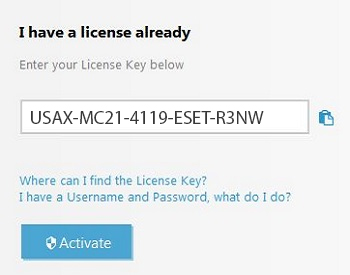
- d. Complete the registration then click Activate once more.
If you have time remaining on your previous license: Your time will be extended for any remaining time on your existing subscription.
For the quickest solutions to common questions: Visit the ESET Knowledgebase.
Windows NT4 and Windows 2000 users: ESET Version 6.x and higher products no longer support these operating systems.