

Computer Cases
Show off your flair and provide essential air flow with a computer case from Micro Center. With cases from the top brands, we will have the right case for you. Shop online or visit one of our nationwide stores!





Imagined by You, Built by Us
Custom
Build PCs
Let our experts build your dream rig with professional assembly and full testing for a ready-to-use system.
Spec it, Build It, Own It!PC Rebuild
Need help finishing a build or refreshing an older system? We’ll disassemble, rebuild, and restore performance.
Rebuild & RestorePC Build
& Learn
Build your rig hands-on with expert guidance and leave with a working system you helped create.
Learn More
Shop by brand









Best Selling Computer Cases




Micro Center News
The latest news, trends, and product updates in one place.
How to Choose Your Parts: Computer Cases
Confused by PC case sizes? Our guide explains everything from SFF to Full Towers. Find the perfect case for your build, components, and budget.
Read Article See All NewsComputer Case Buying Guide
Read ArticleWhat do you need to know when purchasing a PC case?
Read ArticleCase Fans Buying Guide
Read ArticleRelated Components
Top Rated Computer Cases


FAQs
The Best Computer Cases
Whether you use your computer for school, work, or fun, a computer case is a must-have. However, until right now, you may not know just how beneficial a computer case is — they're essential to protecting your computer's precious, and often expensive, core components. But they can also be an extension of your personal style.
Your computer case doesn't have to be big, bulky, and plain to be effective. If up until now you've only bought cheap and boring cases out of pure necessity, reconsider those choices. There are plenty of great and affordable computer cases on the market that we want to get you acquainted with.
What is a Computer Case?
Put simply, a computer case is an outer shell that you put on your laptop or PC to create a barrier between the computer and the world around it. You can think about it from the standpoint of protection. The doors in your car can open to let you out; however, when they are closed and locked, they create a barrier between you and the other vehicles on the road.
One thing people do not realize is how unique computer cases can be. They are not all just plain black plastic covers. Today, many computer cases are created using multiple resources, including steel, aluminum, and plastic, to promote protective and cooling qualities.
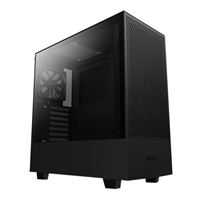
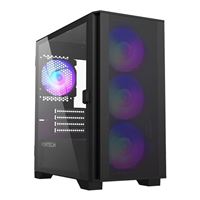
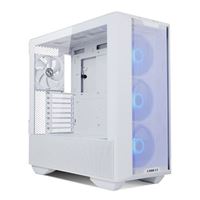
Some cases are even made with glass panels that allow you to see your PC at work and let some of the RGB shine through. Traditionally, most of these cases have been black; however, there are also plenty of white cases or even cases with preinstalled RGB lighting to give them a unique look.
Types of Computer Cases
Another feature that varies by the case is their size. The three main types of personal computer cases include:
Full Tower
A full tower case is generally a larger option. These cases are ideal for someone with a lot of hardware who needs a big case. While these cases are often large and bulky, this is the option to go with if you are looking for an option to house a lot of storage or a large motherboard.
Mid Tower
Similar to the style of the full tower, the mid-tower is shaped the same. However, it is slightly smaller than the full tower. These cases have a smaller footprint than full towers and are good for someone with less space to work with.
Smaller Options
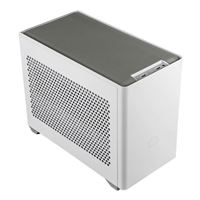
Besides the full and mid towers, smaller form factor cases are another option when buying a computer case. These cases tend to be very compact and good for small spaces or someone who does not need as much storage. However, it is important to remember that with a smaller option, you may be limited in what hardware you can use.
The Importance of Airflow
Beyond size, airflow is another important feature to consider when investing in a computer case. You don't want to choose an option with poor airflow, no matter how cool it looks — proper airflow is crucial to how any computer works. Components can get damaged or broken without sufficient airflow, ultimately slowing down performance. This happens when there is excess heat, so good, cooling airflow is crucial.
However, it can be challenging to tell if a case has good amounts of airflow. Product images can help when it comes to making that purchasing decision, but speaking with experts, like Micro Center Associates, can really make clear which cases have good airflow.
When it comes to sustainability and productivity, airflow is the most important thing to consider. Without it, you can lose access to important information due to broken or damaged parts. In addition, the right case should have fans that help prevent excessive heat buildup and will be able to circulate air properly.
Motherboard Support and Sizing
You want your computer's components to fit inside the case, including the motherboard. Motherboards come in all shapes and sizes, and yours may not fit in every case. Getting one that can support your motherboard size is key. Before buying, consider your motherboard size and decide which case will work best, given your motherboard's dimensions. It is better to get one that is a bit large than one that is too small.
Peripheral Support
Besides the motherboard, other features of these computer cases also need to be considered. The most common ones that people look out for when buying a computer case include the number of USB ports, hard drive bays, and glass sides available.
Number of USB Ports
Modern cases tend to have ports built into them instead of simply relying on the motherboard. Lower-end or smaller cases may have fewer or slower openings for USB ports. A newer and higher-end option is likely to have space for quite a few ports, including USB Type C, MicroSD, and more.
Number of Hard Drive Bays
Depending on how many drives you plan on putting in your computer case, you will want to consider the amount of drive bays it has. If you plan on putting in a couple, consider getting a case with extra bays. Many are evolving to create room for large physical drives due to the increase in storage demands.
Tempered Glass Slide
When it comes to aesthetics, this is certainly a feature you will want to consider when purchasing a computer case. These modern computer cases offer glass paneled sides that give you a clear view of your hardware, which provides the case with a modern and sleek look.
Consider Micro Center
At this point, you should have a better understanding of what a computer case is, the types of computer cases there are, and what to look for when you purchase a computer case. Then, to begin your search for the perfect computer case for your needs, consider trusting the experts at Micro Center to help you out.
Micro Center's team of experts are here to help provide expert guidance for any purchase you make, but their exceptional service doesn't end once you get your receipt. You can expect and enjoy ongoing support as needed to ensure you're completely satisfied. On top of that, we offer an extensive selection of top-of-the-line computer cases for you to browse through.