
Hands-on with the xTool M2 Laser Cutter

In the Micro Center Maker Garage, Andy unboxed, set up, and put the all-new xTool M2 Laser Cutter through its paces to see if it lives up to the hype. Watch along with the video above, or follow the details below.
High-end features at a disruptive price point
Historically, if you wanted an enclosed laser cutter with smart positioning cameras and automatic focusing, you had to expect to drop well over $1,000. xTool is shaking up that dynamic, offering the baseline xTool M2 model for $599, bringing premium features to a highly aggressive, entry-level price.
The technical details
- Laser module: 10W Diode Laser (utilizing a 455 nanometer wavelength)
- Safety class: Class 1 Fully Enclosed (safe for home and classroom use, provided it is properly vented)
- Working bed dimensions: Roughly 12" x 16"
- Connectivity: USB-C Data Port, Expansion Ports for rotary stages, and built-in Wi-Fi monitoring.
One of the standout design elements of the M2 is its modularity. The laser head connects using a straightforward USB-C link and heavy-duty alignment magnets. If you ever want to upgrade from the stock 10W laser head to a more powerful 20W or 40W module down the road, swapping them out takes less than ten seconds.

Photo: Micro Center
Hands-on testing: the standout features
Setting up the M2 is a completely tool-free, streamlined experience -- even if you dive in "Andy style" without looking at the manual beforehand. You snap the magnetic laser head into position, clamp on the included exhaust hose, plug in the power supply, and fire up xTool Creative Space (XCS) software.
During our real-world testing in the Maker Garage, two distinct features stood out to us.
1. Automatic material height detection (autofocus)
An absolute highlight of the M2 is its automated focal length system. The moment you place your material onto the bed and close the lid, the laser head automatically glides across the machine, probes the exact height of your workpiece, and calculates the optimal focal distance.
2. Dual-camera alignment system
The M2 houses a dual-camera array that captures a high-resolution, global overview of your working bed directly inside the design software. If you're working with oddly shaped scraps or want precise placement, you can select an area for a high-definition close-up shot. The XCS software even allows close-up image stitching for highly detailed, larger-scale projects. This eliminates the need to build physical placement jigs when running quick, low-volume engraving jobs.
Putting it to the test: wood, leather, and felt
To see what the 10W diode could handle, we tested a variety of materials out of the included xTool sample kit, starting with custom brown polyurethane (PU) leather adhesive patches. By dropping a patch haphazardly onto the bed, the camera immediately picked up its location. We loaded a Micro Center logo, rotated the design to match the patch's wonky angle, and let it ride. The result was a flawless, clean, slightly shimmery engraving completed in minutes using the software's fast, bi-directional engraving path.
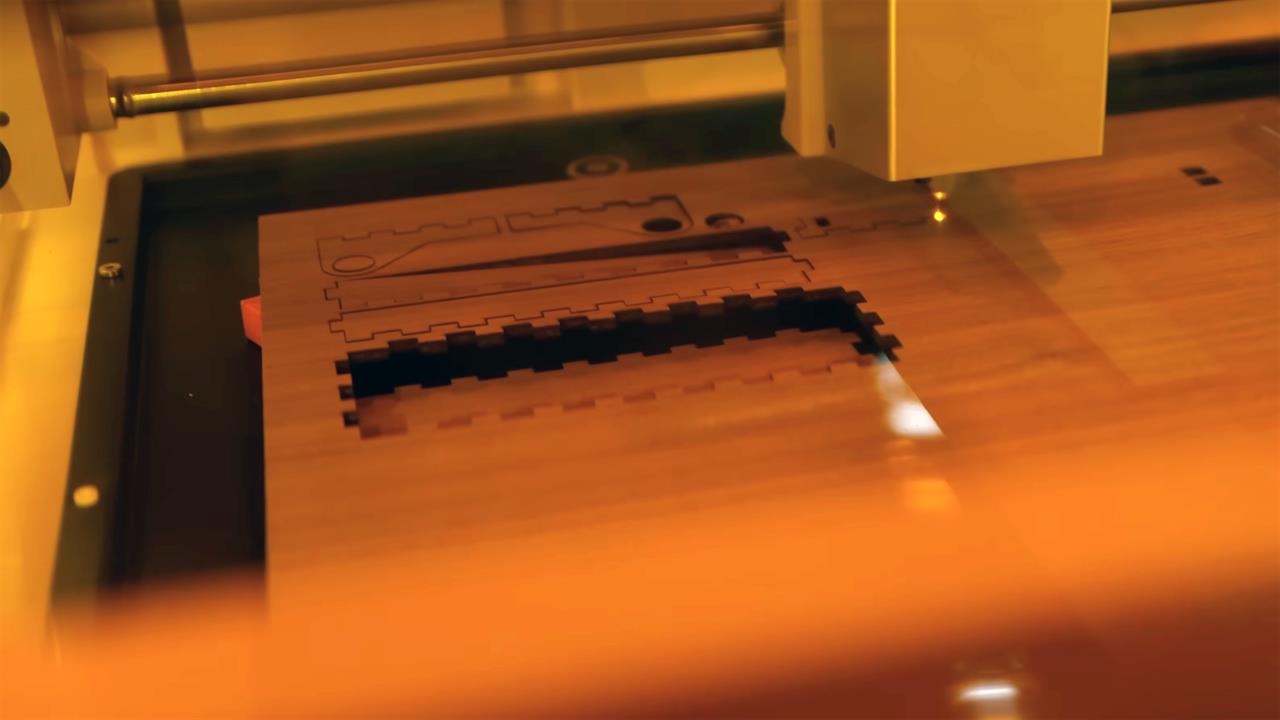
Photo: Micro Center
Next, we stepped up to 3mm plywood. We tested the difference between scoring (a high-speed vector line burn that doesn't penetrate the wood) and a true cut (100% power). The 10W laser sliced through the 3mm stock cleanly, allowing us to import a custom SVG file from MakerCase to cut out an interlocking tab box with a rotating wooden hinge.
To finish the build, we imported custom dimensions to cleanly slice a piece of thick yellow felt to serve as a custom-fitted internal lining for our brand-new wooden tool box.
The verdict: who is the xTool M2 for?
The xTool M2 bridges a massive gap in the current maker ecosystem. It is the perfect machine for hobbyists, educators, small business crafters, or anyone who has wanted to get into laser cutting but felt intimidated by steep pricing or open-frame safety concerns.
By prioritizing a fully enclosed Class 1 safety design, offering an incredibly generous 12" x 16" workspace that accommodates standard 12" x 12" craft stock, and providing premium automation like autofocus and twin cameras, xTool has delivered an absolute home run.
Ready to start making? Swing by your local Micro Center to check out the xTool M2, alongside a massive selection of laser-compatible materials and accessories.
Catch the full unboxing, setup, and woodworking build by checking out the complete video on the Micro Center YouTube Channel.
More from MC News
- Run AI Locally: The Best LLMs for 8GB, 16GB, 32GB Memory and Beyond
- Quantization Explained: Why the Same LLM Gives Better Results on High-End Hardware
- Why VRAM and Memory Bandwidth are Key for Powering Local AI
- Keyboard 101: Intro to Computer Keyboards
- Fix It Yourself: Talking to iFixit on Why Repairable Tech Matters
- The Local LLM Your Laptop's Been Waiting For
- Gemma vs Qwen: Which Local AI is Best?