
How to adjust RGB LED Settings for PowerSpec Desktops with ASUS Motherboards

This article will show you how to adjust the RGB LED settings of PowerSpec Desktop Computers equipped with ASUS Motherboards using the AURA Sync RGB application.
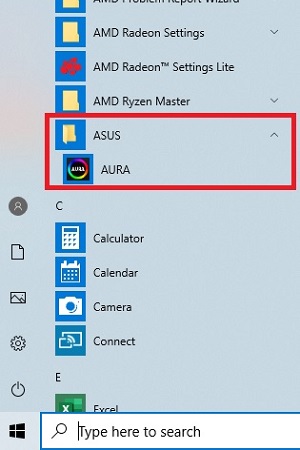
- Locate and launch the pre-installed AURA Sync RGB Software from the desktop or the start menu.

- Select the RGB components that you would like to apply your adjustments to - if desired, you can select Sync All to adjust all components simultaneously. NOTE: If the software is not detecting a compatible RGB product, the component will be grayed out.

- Adjust the Color, Speed and Style to your preference. Use the slider to toggle the RGB functionality on or off.
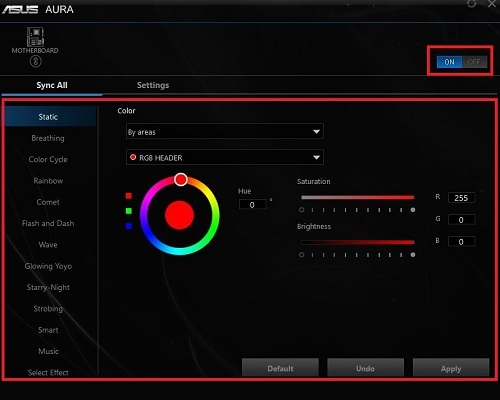
- After applying your desired settings, the application can be closed. The settings applied in the AURA Sync application will be retained even after the application is closed.