


Custom PC Builder

Quick Start Bundles
Core Components
CPU Cooling
Software
Peripherals
Accessories
Welcome to the Micro Center Custom PC Builder
Welcome to the Micro Center Custom PC Builder
For as far as the modern personal computer has come, there is still no one size fits all machine for every type of user. While many prebuilt computers can suit many individuals, custom configurations are a great choice for many users, especially when it comes to high performance computing, gaming, design, and more. Plus, building your own PC is a whole lot of fun, especially if you like to tinker with electronics!
If you are into customizing your setup, whether by building your own computer from scratch or simply upgrading to high tech peripherals, Micro Center is your go to resource for PC building, whether you want to start from scratch or with a prebuilt base system with customizable components. We can help you choose everything from your hard drive to your power supply to your tower, and it all starts here with our custom PC builder. We will walk you through the process of choosing your motherboard, graphics cards, CPU cooler and more.
Start from Scratch or with a Base System
The first step in building the best PC for your needs is to determine whether you want to customize each component of your computer or start with a base system. If you are into PC gaming, you may want to consider building from scratch or choosing a base system equipped with an AMD or Nvidia graphics card that provides the smoothest gameplay experience to maximize performance and entertainment value for gamers. AMD Radeon or Nvidia GeForce are obvious choices for customized gaming desktop graphics cards.
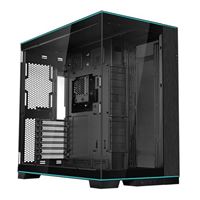
When you start from scratch, you get to customize literally everything inside and out, starting with the hardware. Select your CPU, motherboard, RAM, video card, SSD, power supply, hard drive, optical drive, PC case, cables, adapters, peripherals, and more.
If you prefer the convenience of prebuilt PCs but want a bit of customization to suit your specific use cases, consider starting with a base system. Simply select a level of performance and customize by choosing an AMD or Intel processor. We will take things a step further by selecting the ideal motherboard, case, power supply, liquid cooling system, and more for your needs and budget. This way, you get the ideal setup with less stress or decisions.
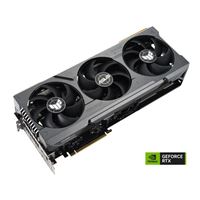
Gamers won't be disappointed by our selection of high performance graphics cards and components made just for high performance PC gaming. With popular options like the Nvidia GeForce RTX 3060, RTX 3080, RTX 3090 as well as AMD's Radeon 6600 XT, Radeon 6800 XT, Radeon 6950 XT, and others, you will be well equipped to take your gameplay to the next level.
Ready to build your own PC?
You have come to the right place! Use our Custom PC Builder to research and pick PC parts from the thousands of components we have in stock. You can use this to create a gaming PC build with streaming capabilities, or a machine that is specific to your business.
Next Steps
Once you have configured your PC, you can: Save your parts list in the Build Dashboard for later, Share your parts list in our Community Forum, reddit or other forums to get feedback, print it as a shopping list or view a store map to visit one of our stores, add to cart to reserve your choices for in store pickup.
Enthusiast PC Builders
For the enthusiast PC builders, you can create and save multiple parts lists in your Build Dashboard. Then once you have built your custom PC, don't forget to submit it to the Build Showcase to show it off and help inspire others with your selection and creativity.
How to Build a PC Q&A
What tools do I need to build a PC?
A little bit of time, patience, and a Phillips head screwdriver are the only true essentials for building a PC. However, you can often make the building process easier and more organized by getting a few more key supplies together, including a flathead screwdriver, a tray for screws, an anti-static wristband, and some zip ties for cable management.
While it may seem a little daunting at first if you’re a first-time builder, if you think you can finish a puzzle, then you can build your own PC. There are a lot of great guides available online, especially video guides on YouTube. The Micro Center Community is also a great source of knowledge as our experienced technical support monitor and respond to questions.
What parts do I need to build a PC?
We actually have an in depth guide on choosing your PC parts! This guide will cover all the necessary parts to build a PC and what to look for when buying them. To quickly cover the basics, the core functional parts of your PC build will include:
- Central processing unit (CPU)
- Graphics processing unit (GPU)
- PC case
- Motherboard
- RAM modules
- Hard drive or solid state drive
- Power supply
While not technically required, you will probably need most or all of these peripheral devices to use and enjoy your PC:
Start with which CPU and GPU you want, and then work your way out from there. Of course, if you have any questions, feel free to ask us on the Micro Center Community!
Can someone at Micro Center give me advice on picking parts?
Our sales associates know how to build computers. They have overseen thousands of custom PC builds for business, working from home, video production, streaming, and gaming. They have extensive experience with fitment and compatibility across all types of cases, cooling solutions, and lighting options. Visit one of our coast-to-coast locations and one of our associates will be happy to help.
What if I don’t see a part I want in the Custom PC Builder?
Our online tool checks availability specifically at your local store. If a part you want isn’t showing up in the list of products, it may be out of stock, so you can click on the option to show all products, or it may not be a product we carry.
Why can’t I select certain parts?
Some of the fields will not be available until you select other parts first — e.g., you cannot select RAM until you select a motherboard.
How do I know my PC parts will work together?
The Custom PC Builder tool automatically tries to filter out parts that would be incompatible with any you’ve already selected. We always recommend you do a little research and double-check just to be safe.
Where can I build a PC?
Most PC builders build at home in their normal living space — you don’t need any kind of special workshop. What you do need is a wide, flat, clean surface made from a non-conductive material like wood, glass, or plastic. A table or desk is ideal. To prevent static discharge, it’s preferable to build in an area without rugs or carpets on the floor, but if that’s not an option, an anti-static mat or wristband will keep your space static-free. Alternatively, you can choose to have our PC experts at Micro Center assemble your PC for you from the parts you’ve chosen!
Can Micro Center help me build a PC?
If you’re not sure what you want or would just prefer working with somebody directly, our in-store sales associates are happy to help you pick out parts for your custom PC. After you build a PC online using our tool, our highly trained technicians can assemble it for you for an added fee. Details on pricing and what’s included in each tier of a build can be found here.
Is it better to build or buy?
It depends on what you’re looking for! Building your own PC is a fun and exciting project that can teach you a lot about computers and ensure your computer has exactly the components and performance you want. Plus, doing it yourself will typically save you money.
However, buying a PC is also a great option if convenience is a priority. Micro Center offers a great selection of prebuilt PCs, including our own PowerSpec PCs assembled in-house by our computer experts. We’ll also build a custom PC for you using your chosen components! Check out our PC building services for more info.
How do I know my pc parts will work together?
The Custom PC Builder tool automatically tries to filter out parts that would be incompatible with any you’ve already selected. We always recommend you do a little research and double check just to be safe.
How much does it cost to build?
The cost of your PC build will depend entirely on what components you choose. Budget builds may cost only a few hundred dollars, while a top-shelf gaming rig or creative workstation can run into the thousands. Use our PC builder tool for a detailed rundown of what your new PC will cost.
How long does it take to build?
Building a PC can be surprisingly quick. Once you have all of your components ready, many builders find that the whole assembly process takes around two to six hours. That includes the process of physically installing your components in your case, as well as time for reading component manuals, watching tutorial videos or reading guides, and installing your operating system and driver updates.
Remember, there’s no reason to rush, especially not on your first build! Take your time, double-check everything, read your manuals, and take advantage of the extensive PC building resources available in our Micro Center community.
If you’re using Micro Center’s custom PC building services, we offer same-day service on Tier 1 to Tier 3 builds when you place your order before 4 PM! Since Tier 4 and 5 builds are highly customized, they can vary widely in assembly time. Our Micro Center associates will provide you with a general time frame during your consultation for a Tier 4 or 5 build.
How hard is it to build?
If you have basic knowledge about computers and you don’t mind doing a little bit of research, congratulations — you’re qualified to build a PC! Most people are surprised by just how easy the PC building process is. Generally speaking, PC parts are more user-friendly than they’ve ever been, and tons of resources are available to help you through the process.
A few tips to make your first build easier:
- Use our PC builder to select your parts — it automatically checks for compatibility in critical parts like your motherboard and CPU.
- To get a basic idea of how the process works, watch some tutorial videos and/or read some PC building guides before you get started. Our Micro Center community is full of helpful resources!
- For a smoother experience, try keeping your first build relatively simple. Save features like dual graphics cards or custom water cooling for when you’re more experienced, or use our custom PC building services for a more advanced rig.
Can I share my build online and get feedback?
Yes, once you’ve picked the PC parts, you can save your feedback and then share it on Reddit, the Help Choosing Parts forum in the Micro Center Community, or any other forum to get other people’s feedback. You can share the URL or the list of parts in various formats: HTML, text, markdown, etc.
How do I place my order?
Once you’ve selected the parts in the Custom PC Builder tool, you can click “add to cart” to automatically place everything in the cart. You can then reserve your parts for in-store pickup by going through the checkout process online. Our store associates will locate the items and set them to the side to be picked up within 3 days.
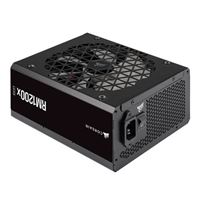
Estimated power consumption shown above is a general guide. Actual numbers will vary depending upon additional components chosen and which games or applications are running. Many power supplies run at their peak efficiency at around 50% load, however, our store associates will be happy to help you select the right power supply for your needs.