

- Category Suggestions:
- Tablets
- Graphics Tablets
- Tablet Accessories
Special Offers / Advertisements
Compare up to 4 items
New list of matching products
X
Sorry, you may compare a maximum of 4 items at a time.
Please clear one or more of your compare items before adding another-
SKU: 030759
- 8.7" 800 x 1340 IPS Display
- MediaTek Helio G99 2.2GHz Octa-core CPU
- 4GB RAM & 64GB Storage
- Android 15 (Latin Spec – English OS
- Spanish packaging)
- 8.7" 800 x 1340 IPS Display
- MediaTek Helio G99 2.2GHz Octa-core CPU
- 4GB RAM & 64GB Storage
3 IN STOCK at Yonkers StoreOur price $139.99Original price $149.99Save $10.00 -
1 IN STOCK at Yonkers StoreOur price $499.95
-
2 IN STOCK at Yonkers StoreOur price $389.99
Original price $489.99Save $100.00 -
1 IN STOCK at Yonkers StoreOur price $379.95
-
1 IN STOCK at Yonkers StoreOur price $699.95
-
1 IN STOCK at Yonkers StoreOur price $1,299.95
-
2 IN STOCK at Yonkers StoreOur price $249.95
-
1 IN STOCK at Yonkers StoreOur price $149.99
-
SKU: 941336
- 11" 2560 x 1600 Display
- MediaTek Dimensity 6300 2.4GHz Octa-Core CPU
- 8GB RAM & 128GB Storage
- Android 15
- 11" 2560 x 1600 Display
- MediaTek Dimensity 6300 2.4GHz Octa-Core CPU
- 8GB RAM & 128GB Storage
4 IN STOCK at Yonkers StoreOur price $289.99 -
5 IN STOCK at Yonkers StoreOur price $209.99
-
SKU: 964809
- 11" 1920 x 1200 Display
- Mediatek Dimensity 7300 2.5GHz Octa-Core CPU
- 6GB RAM & 128GB Storage
- Android 16
- 11" 1920 x 1200 Display
- Mediatek Dimensity 7300 2.5GHz Octa-Core CPU
- 6GB RAM & 128GB Storage
5 IN STOCK at Yonkers StoreOur price $199.99Original price $299.99Save $100.00 -
3 IN STOCK at Yonkers StoreOur price $34.99
-
3 IN STOCK at Yonkers StoreOur price $299.99
Original price $399.99Save $100.00 -
2 IN STOCK at Yonkers StoreOur price $499.95
-
4 IN STOCK at Yonkers StoreOur price $199.99
-
4 IN STOCK at Yonkers StoreOur price $29.99
-
SKU: 695684
- Kids Drawing Tablet
- Kids Drawing Tablet
4 IN STOCK at Yonkers StoreOur price $29.99 -
4 IN STOCK at Yonkers StoreOur price $39.95
-
2 IN STOCK at Yonkers StoreOur price $299.95
-
3 IN STOCK at Yonkers StoreOur price $34.99
-
SKU: 018218
- 12.1" 2560x1600 IPS Display
- MediaTek Dimensity 6400 CPU
- 8GB RAM & 256GB UFS 2.2
- Android 15
- 12.1" 2560x1600 IPS Display
- MediaTek Dimensity 6400 CPU
- 8GB RAM & 256GB UFS 2.2
2 IN STOCK at Yonkers StoreOur price $399.991 open box from $322.96 -
2 IN STOCK at Yonkers StoreOur price $129.99
-
SKU: 964791
- 11" 1920 x 1200 Display
- Mediatek Dimensity 7300 2.5GHz Octa-Core CPU
- 8GB RAM & 256GB Storage
- Android 16
- 11" 1920 x 1200 Display
- Mediatek Dimensity 7300 2.5GHz Octa-Core CPU
- 8GB RAM & 256GB Storage
6 IN STOCK at Yonkers StoreOur price $279.99Original price $379.99Save $100.00 -
2 IN STOCK at Yonkers StoreOur price $79.99




Special Offers / Advertisements
{
'name': 'Galaxy Tab A11 - Black',
'id': '710345',
'price': '139.99',
'membersaving': '0',
'brand': 'Samsung',
'coord': 'LD1G',
'core': 'Undefined',
'category': 'Tablets',
'list': 'Search Results',
'position': 1
},{
'name': 'MovinkPad 11, Android Mobile Drawing Tablet, 11" with Battery-Free Slim Pro Pen 3, 8GB RAM/128 GB Storage',
'id': '699817',
'price': '499.95',
'membersaving': '0',
'brand': 'Wacom',
'coord': 'IH5B',
'core': 'Undefined',
'category': 'Graphics Tablets',
'list': 'Search Results',
'position': 2
},{
'name': 'Galaxy Tablet S10 Lite 256GB, Gray',
'id': '697352',
'price': '389.99',
'membersaving': '0',
'brand': 'Samsung',
'coord': 'LD1G',
'core': 'Undefined',
'category': 'Tablets',
'list': 'Search Results',
'position': 3
},{
'name': 'Intuos Pro Medium Bluetooth Professional Graphic Drawing Tablet (2025) - Black',
'id': '696512',
'price': '379.95',
'membersaving': '0',
'brand': 'Wacom',
'coord': 'IH5B',
'core': 'Undefined',
'category': 'Graphics Tablets',
'list': 'Search Results',
'position': 4
},{
'name': 'CINTIQ 16 DRAWING TABLET',
'id': '713959',
'price': '699.95',
'membersaving': '0',
'brand': 'Wacom',
'coord': 'IH5B',
'core': 'Undefined',
'category': 'Graphics Tablets',
'list': 'Search Results',
'position': 5
},{
'name': 'CINTIQ 24 DRAWING TABLET',
'id': '713960',
'price': '1,299.95',
'membersaving': '0',
'brand': 'Wacom',
'coord': 'IH5B',
'core': 'Undefined',
'category': 'Graphics Tablets',
'list': 'Search Results',
'position': 6
},{
'name': 'Intuos Pro Small Bluetooth Professional Graphic Drawing Tablet (2025) - Black',
'id': '696511',
'price': '249.95',
'membersaving': '0',
'brand': 'Wacom',
'coord': 'IH5B',
'core': 'Undefined',
'category': 'Graphics Tablets',
'list': 'Search Results',
'position': 7
},{
'name': 'ACER ICONIA A10',
'id': '711026',
'price': '149.99',
'membersaving': '0',
'brand': 'Acer',
'coord': 'LD1G',
'core': 'Undefined',
'category': 'Tablets',
'list': 'Search Results',
'position': 8
},{
'name': 'Idea Tab - Luna Gray',
'id': '702616',
'price': '289.99',
'membersaving': '0',
'brand': 'Lenovo',
'coord': 'LD1G',
'core': 'Undefined',
'category': 'Tablets',
'list': 'Search Results',
'position': 9
},{
'name': 'Tab One 8.7"',
'id': '696360',
'price': '209.99',
'membersaving': '0',
'brand': 'Lenovo',
'coord': 'LD1F',
'core': 'Undefined',
'category': 'Tablets',
'list': 'Search Results',
'position': 10
},{
'name': 'Galaxy Tab A11+ - Gray',
'id': '705009',
'price': '199.99',
'membersaving': '0',
'brand': 'Samsung',
'coord': 'LD1G',
'core': 'Undefined',
'category': 'Tablets',
'list': 'Search Results',
'position': 11
},{
'name': 'TOUGHTESTED CUP TABLET',
'id': '714362',
'price': '34.99',
'membersaving': '0',
'brand': 'Tough Tested',
'coord': 'LF2B',
'core': 'Undefined',
'category': 'Phone Accessories',
'list': 'Search Results',
'position': 12
},{
'name': 'Galaxy Tab S10 Lite, Gray',
'id': '697351',
'price': '299.99',
'membersaving': '0',
'brand': 'Samsung',
'coord': 'LD1G',
'core': 'Undefined',
'category': 'Tablets',
'list': 'Search Results',
'position': 13
},{
'name': 'Intuos Pro Large Bluetooth Professional Graphic Drawing Tablet (2025) - Black',
'id': '696513',
'price': '499.95',
'membersaving': '0',
'brand': 'Wacom',
'coord': 'IH5B',
'core': 'Undefined',
'category': 'Graphics Tablets',
'list': 'Search Results',
'position': 14
},{
'name': 'ACER ICONIA TAB A13',
'id': '710736',
'price': '199.99',
'membersaving': '0',
'brand': 'Acer',
'coord': 'LD1G',
'core': 'Undefined',
'category': 'Tablets',
'list': 'Search Results',
'position': 15
},{
'name': '4-IN-1 QI TABLET STATION',
'id': '710147',
'price': '29.99',
'membersaving': '0',
'brand': 'Azpen Innovation',
'coord': 'LF2B',
'core': 'Undefined',
'category': 'Chargers, Rechargeable Batteries',
'list': 'Search Results',
'position': 16
},{
'name': 'Scribble n Play',
'id': '679459',
'price': '29.99',
'membersaving': '0',
'brand': 'Kent Displays',
'coord': 'NF1Q',
'core': 'Undefined',
'category': 'Other Gadgets',
'list': 'Search Results',
'position': 17
},{
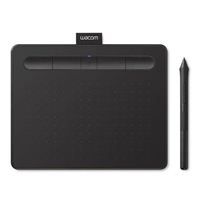
'name': 'Intuos Creative Pen USB Tablet - Black',
'id': '504357',
'price': '39.95',
'membersaving': '0',
'brand': 'Wacom',
'coord': 'IH5B',
'core': 'Undefined',
'category': 'Graphics Tablets',
'list': 'Search Results',
'position': 18
},{
'name': 'One 14" Creative Pen Display Drawing Tablet',
'id': '713958',
'price': '299.95',
'membersaving': '0',
'brand': 'Wacom',
'coord': 'IH5B',
'core': 'Undefined',
'category': 'Graphics Tablets',
'list': 'Search Results',
'position': 19
},{
'name': 'TT MAMMOTH TABLET WINDSHI',
'id': '714363',
'price': '34.99',
'membersaving': '0',
'brand': 'Tough Tested',
'coord': 'LF2B',
'core': 'Undefined',
'category': 'Tablet Accessories',
'list': 'Search Results',
'position': 20
},{
'name': 'Idea Tab Plus -Luna Gray',
'id': '702617',
'price': '399.99',
'membersaving': '0',
'brand': 'Lenovo',
'coord': 'LD1G',
'core': 'Undefined',
'category': 'Tablets',
'list': 'Search Results',
'position': 21
},{
'name': 'Intuos Creative Pen Bluetooth Tablet Medium - Black',
'id': '504360',
'price': '129.99',
'membersaving': '0',
'brand': 'Wacom',
'coord': 'IH5B',
'core': 'Undefined',
'category': 'Graphics Tablets',
'list': 'Search Results',
'position': 22
},{
'name': 'Galaxy Tab A11+ - Gray',
'id': '705010',
'price': '279.99',
'membersaving': '0',
'brand': 'Samsung',
'coord': 'LD1G',
'core': 'Undefined',
'category': 'Tablets',
'list': 'Search Results',
'position': 23
},{
'name': 'Intuos Creative Pen Bluetooth Tablet Small - Black',
'id': '504358',
'price': '79.99',
'membersaving': '0',
'brand': 'Wacom',
'coord': 'IH5B',
'core': 'Undefined',
'category': 'Graphics Tablets',
'list': 'Search Results',
'position': 24
}